
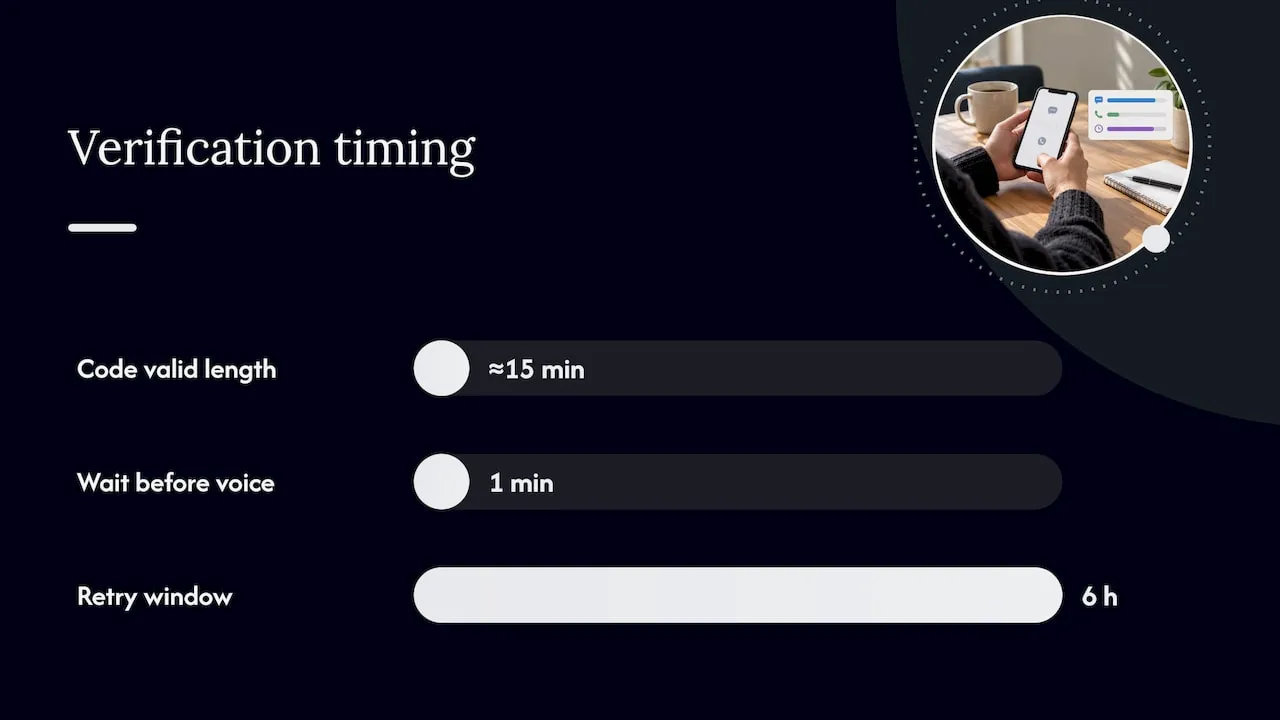
The quickest way to verify a phone number is to receive a one-time code by SMS or voice call and enter it on the service’s verification screen. Type your number in international format, including the country code, and you should get a 5 or 6 digit code within a minute or two, valid for about 15 minutes. If nothing arrives, request a resend or switch to a voice call before trying again.
TL;DR:
- Verifying a phone number is quickest using SMS or voice call with a 5- or 6-digit code valid for about 15 minutes.
- Switching to a voice call after a minute without delivery often speeds up receipt without penalizing retries.
- Using authenticator apps or hardware tokens is more secure than SMS, especially for sensitive accounts or when facing risks like SIM swapping.
- Common verification failures stem from incorrect number entry, poor signal, blocked sender, or expired codes, so careful troubleshooting is essential.
- For businesses, investing in memorable UK numbers can reduce input errors and increase reliable verification and customer contact.
Table of Contents
- Step-by-step: how to verify using SMS or a voice call
- Alternative verification methods and when to pick them
- Troubleshooting: what to do if you don’t receive the code or verification fails
- How to check if a number is ‘valid’ and what public resources can tell you
- Security and privacy: SMS weaknesses and safer practices
- Publisher perspective: why reliable phone numbers help verification and customer contact
- Another option: search or buy a memorable UK number at phonenumbers.store
- FAQ
- Sources
Step-by-step: how to verify using SMS or a voice call
Verification almost always follows the same pattern, whichever service you are using. Getting the number format right at the start saves most of the hassle later.
- Enter your phone number including the country code (for example, +44 for the UK), and double-check the country selector matches your number.
- Submit the form and wait for a text message or an automated voice call carrying a short code.
- Expect a 5 or 6 digit code that is valid for roughly 15 minutes before it expires.
- Type the code into the verification field. Most services accept codes typed with spaces or hyphens, so do not worry about exact formatting.
- If nothing arrives, use the “resend code” option. Services typically cap you at a limited number of requests, commonly about 10 attempts within a 6-hour window as recommended, to stop abuse.
Before you request a new code, check your phone has signal, that you have not blocked the sender’s short code, and that the number you typed is actually yours.
Pro Tip: If a code has not arrived after a minute, switch to the voice call option rather than repeatedly tapping resend. It is often faster and will not count against the same retry limit.
Alternative verification methods and when to pick them
SMS is common, but it is not your only option, and in some cases it is not the best one.
- Authenticator apps such as Google Authenticator or Microsoft Authenticator generate codes on your device without relying on your mobile network, which makes them resilient if your SIM is compromised.
- Hardware security tokens offer a similar benefit for accounts where the stakes are higher, such as banking or email.
- Email verification and magic links are convenient when you have no reliable signal, though they depend on your inbox staying secure.
- Voice calls are a solid fallback when a text message fails to arrive or your number cannot receive SMS for some reason.
- Travellers, people switching SIMs, or anyone worried about SIM-swap fraud should lean towards an authenticator app rather than SMS wherever the service allows it, especially when using an anonymous eSIM for safer travel data management.
Troubleshooting: what to do if you don’t receive the code or verification fails
Most failed verifications come down to a handful of causes, and working through them in order usually solves the problem.
- Recheck the number you entered, particularly the country code. A UK mobile typed without +44 or with a stray digit will never receive anything.
- Confirm your phone has signal and that the sender’s short code is not blocked or filtered by your carrier.
- Remember that codes expire after 15 minutes as recommended, so a code you requested a while ago will simply stop working.
- Avoid firing off several resend requests in quick succession. Services limit how many you can request in a given period, and hitting that limit locks you out temporarily.
- If you are using a non-UK number with a UK service, check whether that service even supports it. Some services cannot send codes to non-UK numbers at all, as noted by GOV.UK One Login source.
- When SMS keeps failing, try the voice call option or an email-based recovery flow instead, and contact the service’s support if none of these work.
Pro Tip: Wait at least a few minutes between resend attempts. Rapid-fire retries are the single most common reason people get temporarily locked out of a verification flow.
How to check if a number is ‘valid’ and what public resources can tell you
A number can be technically valid, correctly formatted and currently allocated, without belonging to the person you think it does.
- Ofcom’s numbering data identifies which ranges are geographic (01 and 02), mobile (07) or non-geographic (03 and 08), and provides CSV and XLSX files updated weekly for anyone who wants to check allocations source source.
- Carrier and lookup services can tell you whether a number is formatted correctly and which network it routes through, but they cannot confirm who currently holds it without the provider’s cooperation.
- Always convert a UK number to international format, +44 followed by the number without its leading zero, before submitting it to a verification tool.
- A “valid” result only means the number exists and is allocated correctly. It is not proof of ownership.
Security and privacy: SMS weaknesses and safer practices
SMS verification is convenient, but it is not the strongest option available. The NCSC recommends authenticator apps or hardware tokens over SMS for stronger security because SMS can be intercepted or redirected through a SIM-swap attack source.
NCSC guidance states that SMS-based codes remain vulnerable to interception and SIM-swap fraud, which is why apps that generate codes on-device are the preferred second factor for protecting valuable accounts.
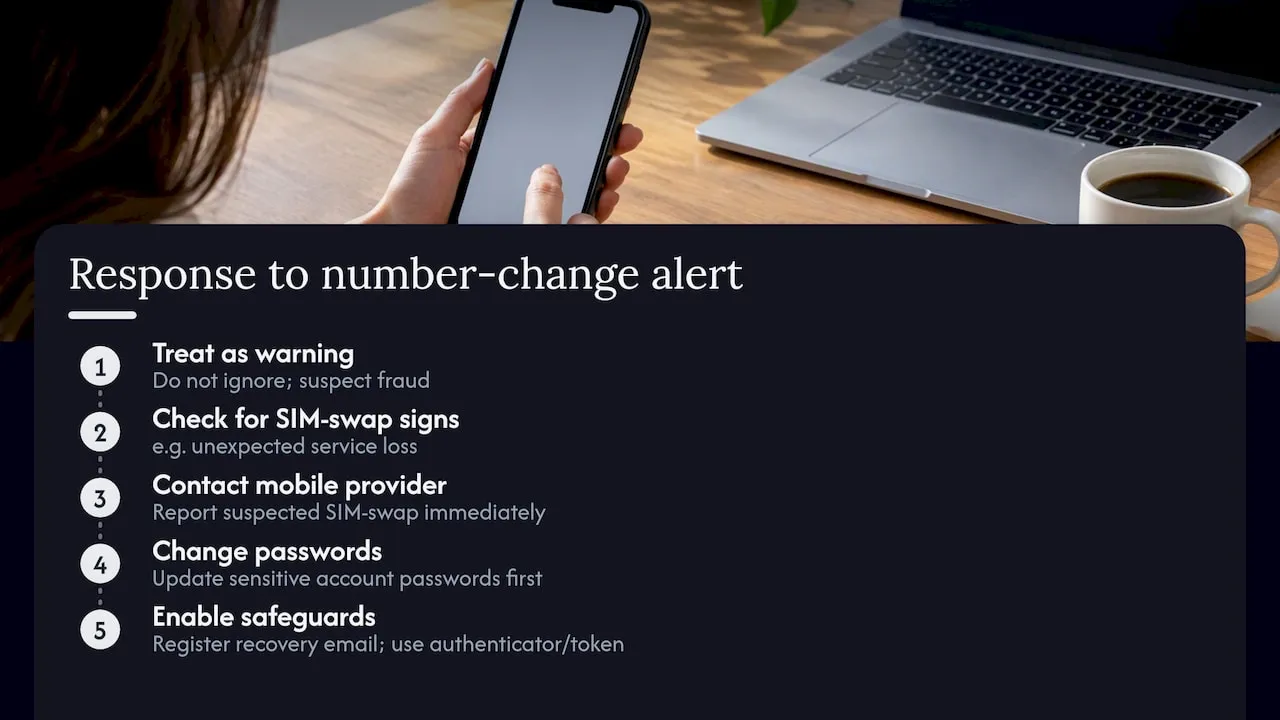
Where you can, enable more than one verification method, register a recovery email, and keep an eye on any notification you get when account details change. Services are expected to notify your old number whenever it is replaced on an account, so treat an unexpected notification as a warning sign source. If you suspect a SIM-swap, contact your mobile provider straight away and change passwords on any sensitive accounts before doing anything else.
Publisher perspective: why reliable phone numbers help verification and customer contact
Having worked around UK number formats for years, I have noticed how often verification friction comes down to something mundane: an unmemorable number typed incorrectly, or a hosted line that is not set up to receive SMS cleanly. Businesses that rely on a number for customer contact often prefer one that is easy to recall and reliably routed, which cuts down on input errors during sign-up. For your own personal accounts, though, a hosted number is a nice-to-have rather than a requirement. A standard mobile SIM verifies perfectly well on its own.
— Rob
Another option: search or buy a memorable UK number at phonenumbers.store
If you run a business and keep hitting verification friction because customers mistype your number or a hosted line does not route SMS reliably, a memorable number can help. Phonenumbers sells and rents 01, 02 and 07 UK numbers that are easier to recall and can be routed anywhere, which cuts down on the kind of entry errors that cause failed verifications in the first place.
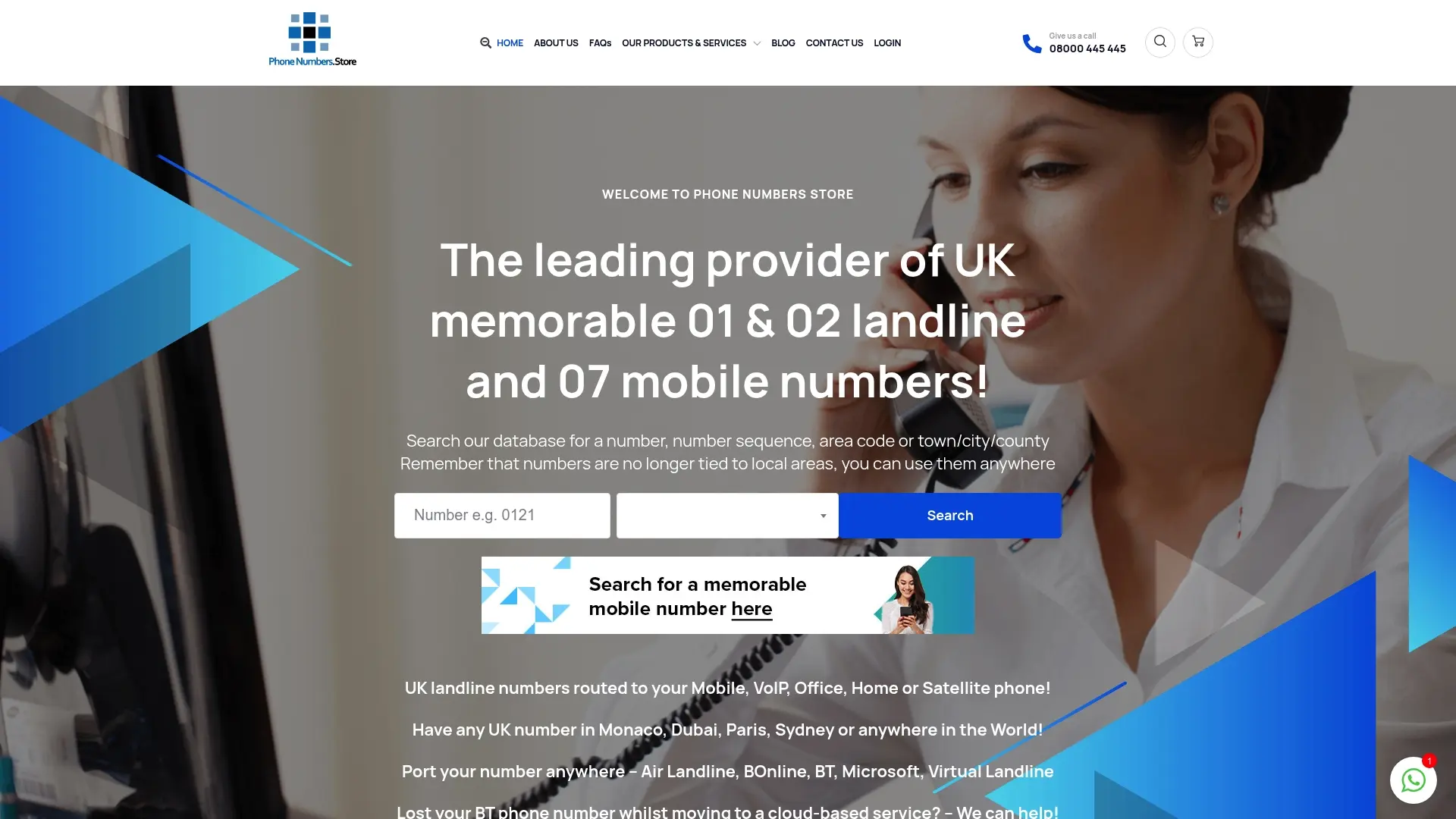
You can search the full database of available numbers by sequence, area code or town, and reserve one you like for 30 days while you decide.
FAQ
How do you verify your phone number?
Most services send a 5 or 6 digit one-time code by SMS or voice call after you enter your number in international format. You type that code into the verification screen within the time limit, usually around 15 minutes, to confirm the number is yours.
Why can’t I verify my phone number?
The most common causes are a mistyped number or country code, poor signal, a blocked sender, or an expired code. Some services also restrict verification to numbers from a specific country, so a non-UK number may simply be unsupported.
How do I verify a UK phone number?
Enter the number in international format, starting with +44 instead of the leading zero, then follow the same SMS or voice code process used for any other number. If a UK-only service rejects a foreign number, that is expected behaviour rather than an error on your part.
How can I check if my phone number is valid?
Ofcom’s numbering data shows which ranges are allocated for mobile, landline or non-geographic use, which confirms a number’s type and format. It cannot confirm who currently owns the number, since that information stays with the network provider.
