Set call forwarding for a purchased 01/02/07 number by logging into your provider control panel, selecting the number under “My numbers,” opening its call handling or routing settings, entering your destination, then saving and testing with a real call. That’s how to set up call forwarding on a landline number bought from a provider like PhoneNumbers.Store, and the whole process rarely takes more than a few minutes once you know where to click.
Start here: log in, go to “Numbers” or “My numbers,” and click the specific 01/02/07 number you want to configure. From there you’ll pick one of three common destination types:
- A mobile number, entered in international E.164 format (e.g. +447911111111)
- A SIP URI, pointing to a hosted PBX or softphone (e.g. sip:[email protected])
- An alternate landline, including its full national prefix
Key Takeaways
Call forwarding on a purchased 01/02/07 number is configured entirely in the provider control panel, not on a handset or through carrier codes.
| Point | Details |
|---|---|
| Set forwarding in the control panel | Select the number under “My Numbers,” open routing settings, enter the destination, then save. |
| Use the correct destination format | Mobiles need E.164 (+447911111111); SIP needs a full URI like sip:[email protected]. |
| Always configure failover | Add a backup destination or voicemail after 15 to 30 seconds to avoid missed calls. |
| Test from two different lines | Call from a UK mobile and an external line to confirm audio and failover timing. |
| Watch billing and concurrency limits | Forwarded minutes often bill separately, and providers may cap simultaneous forwarded calls. |
| Buy and route through PhoneNumbers.Store | Purchase a memorable 01/02/07 number and configure forwarding to mobile, SIP, or landline from one dashboard. |
Table of Contents
- What you need before you start setting up call forwarding
- Step-by-step setup for your 01/02/07 number
- Which forwarding configuration suits your setup?
- How do you test call forwarding and fix common problems?
- What billing and security limits should you check first?
- PhoneNumbers.Store quick path to enable forwarding
- What actually trips people up when setting this up
- Get your memorable number set up properly from the start
- FAQ
What you need before you start setting up call forwarding
Gather these details before you open the control panel, or you’ll be hunting for them mid setup. You need an active PhoneNumbers.Store account, your purchased 01/02/07 number showing as active (not “pending port”) under My Numbers, and enough plan credit to cover forwarded minutes.
You’ll also need your destination written down correctly: a mobile number in E.164 format, a SIP URI in the form sip:username@domain, or an alternate landline with its full prefix. Check you have admin-level access to the control panel, since some sub-accounts restrict who can edit routing rules, and confirm two-factor authentication is set up if your account uses it. Have a second phone to hand for testing once the change is live.
- Active account with the number visible and marked “active”
- Correct destination format written down in advance
- Admin permissions confirmed on your login
- A second phone ready for the test call
Pro Tip: Copy every destination number or SIP URI into a plain text file before you start. A single mistyped digit is the most common reason forwarding fails, and it’s far easier to catch in a text file than in a form field.
Step-by-step setup for your 01/02/07 number
Every provider dashboard follows roughly the same logic, even if the menu labels differ slightly. Here’s the sequence for PhoneNumbers.Store and most comparable virtual phone number platforms.
- Log in and open “My numbers.” Confirm your purchased 01/02/07 number appears in the list and shows as active.
- Select the number, then open “Call handling,” “Forwarding,” or “Routing.” The exact label depends on the provider, but it’s always attached to the individual number, not the account as a whole.
- Choose your destination type and enter it precisely. For a mobile, use +447911111111. For a SIP endpoint, use the full URI, such as sip:[email protected]. For an alternate landline, include the national prefix, like 02071234567.
- Set advanced options if you need them. Most panels let you configure ring time before failover, simultaneous ringing across multiple devices, sequential ring order, or business-hours schedules that route differently by time of day.
- Add a failover or backup destination. This might be voicemail, a second mobile, or an answering service triggered after a set number of missed rings, typically 15 to 30 seconds.
- Save the change and confirm any dialogue box. Propagation is usually near instant but can take up to a few hours on more complex routing rules involving multiple overflow destinations.
A sole trader running everything from one phone will usually just point the number straight at a mobile. A remote team might want simultaneous ringing to a mobile and a softphone, so nobody misses a call because they stepped away from the desk. A call centre or PBX setup, on the other hand, typically routes straight to a SIP URI so the landline-to-mobile bridge still works when staff are away from the office.
Pro Tip: If you’re forwarding to a SIP endpoint, test it with a known-working SIP client first. Confirm your provider actually permits SIP forwarding to third-party hosts before you rely on it for live calls.
Which forwarding configuration suits your setup?
Different call patterns call for different routing logic, and picking the wrong one is often what causes calls to go unanswered.
- Simultaneous ringing suits a single-person business: calls hit your mobile and softphone at once, so you answer wherever you happen to be.
- Sequential ring (cascade) works well when you want the desk phone to try first, then the owner’s mobile, then voicemail, in that order.
- Time-based routing separates business hours from evenings: daytime calls go to staff, out-of-hours calls drop straight to voicemail or an answering service.
- Immediate failover suits an unreliable mobile signal; gradual failover after 20 to 30 seconds suits an overflow queue where you’d rather give the first destination a fair chance to answer.
- SIP forwarding to a hosted PBX or contact centre needs correct SIP credentials and firewall or NAT settings sorted in advance, or calls will simply drop.
Small businesses generally do fine with just three rules: a primary destination, one failover, and a time-based split for after hours, according to guidance on call routing for UK small firms.
How do you test call forwarding and fix common problems?
Test from two different lines: call your 01/02/07 number from a UK mobile, then again from a landline or a line outside your own provider network. Confirm the destination rings, the audio is clear both ways, and note how long failover takes to trigger, so you know it matches what you configured.
If forwarding doesn’t work, work through this order:
- Check the number’s status. It must show “active,” not “pending port.”
- Confirm the destination format. Mobiles need E.164 (+44), not a local 07 format.
- Check your account balance or any billing block preventing calls from completing.
- For SIP destinations, verify credentials and that the endpoint accepts inbound calls, and check firewall or NAT rules on the SIP host.
- Re-open the control panel and confirm the rule actually saved, with no conflicting schedule overriding it.
If the number still shows inactive or fails after all of the above, that’s the point to contact support rather than keep troubleshooting alone. PhoneNumbers.Store’s own call forwarding checklist for business owners covers a longer list of edge cases if you want to dig further before raising a ticket.
What billing and security limits should you check first?
Forwarded minutes typically count against your plan or get billed per minute, and international or mobile destinations often carry higher rates than a straightforward UK landline forward, so it pays to check your plan’s pricing table before switching on high-volume routing.
Most providers also cap how many simultaneous forwarded calls a single number can handle. If you expect volume, configure an overflow rule or queue rather than assuming every caller gets through on the first ring.
Geographic 01/02 numbers are widely included in standard UK mobile and landline bundles, which is part of why callers are more willing to pick up compared with an unfamiliar mobile number, according to industry guidance on virtual number setup.
- Check included minutes and excess-minute rates before enabling wide forwarding
- Watch for geo-restrictions on international destinations, which some providers block or surcharge
- Restrict routing changes to admin roles, and use two-factor authentication and audit logs to see who last edited your rules
Where local rules apply to business phone use in your jurisdiction, check them briefly rather than assuming a default setup covers you.
PhoneNumbers.Store quick path to enable forwarding
For PhoneNumbers.Store customers specifically, the click path is: log in → My Account → My Numbers → select your number → Call Handling / Routing → Edit Destination → Save.
- Log in and go to My Account, then My Numbers.
- Click the specific 01/02/07 number you want to route.
- Open Call Handling or Routing and enter your destination in the correct format.
- Look under advanced settings for ring time, simultaneous ring, and failover; these are usually labelled clearly rather than buried in a submenu.
- Save, then place a test call immediately.
Rob, who writes PhoneNumbers.Store’s setup guides, has covered the platform’s routing options in detail in the top benefits of virtual phone numbers piece if you want a broader view of what the control panel can do beyond basic forwarding. If you’d rather not do this alone, in-account support is there for exactly this kind of setup question.
What actually trips people up when setting this up
The single most common error I see isn’t a broken system. It’s a mistyped destination number or a failover left switched off. Run both quick tests above before you trust the setup with real customer calls.
I’ve written enough of PhoneNumbers.Store’s setup guides to know most “forwarding doesn’t work” tickets trace back to a format mistake, not a platform fault. If you’d rather have someone check it for you, use the account support option.
Get your memorable number set up properly from the start
Compared with hunting for a mobile-only number or building a full PBX from scratch, buying a memorable 01/02/07 number gives you an instantly recognisable local presence without any hardware to install or contracts to negotiate. Everything, including forwarding, lives in one control panel you can edit yourself in minutes.
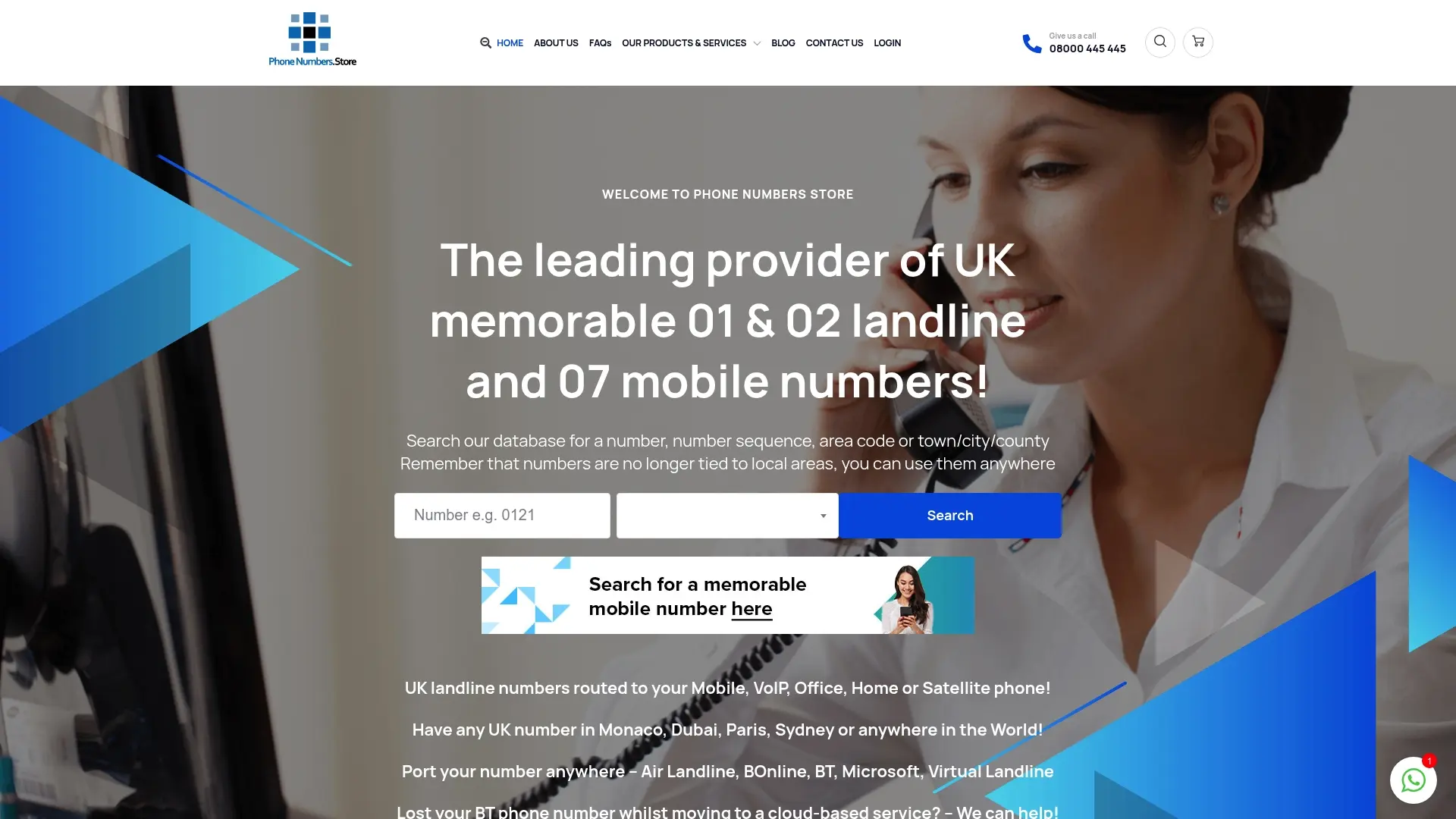
If you’re still searching for the right number, browse the available 01, 02, and 07 ranges directly on Phonenumbers, where you can check availability by area code, sequence, or town before you buy. Numbers activate quickly, and the routing setup covered above works the same way from day one, whether you’re forwarding to a personal mobile or a full SIP-based call centre. Once you’ve picked a number, head to the control panel and set your destination straight away so you don’t miss a single call while you’re getting everything else about the business running.
FAQ
What number should I forward calls to on a virtual landline?
You can forward to a mobile number in international format starting with +44, a SIP URI for a hosted PBX, or an alternate landline including its national prefix, depending on how your team takes calls.
How long does it take for call forwarding to activate?
Most changes take effect within minutes, though propagation can take up to a few hours on more complex routing setups involving multiple overflow destinations.
Can I forward my landline number to more than one device at once?
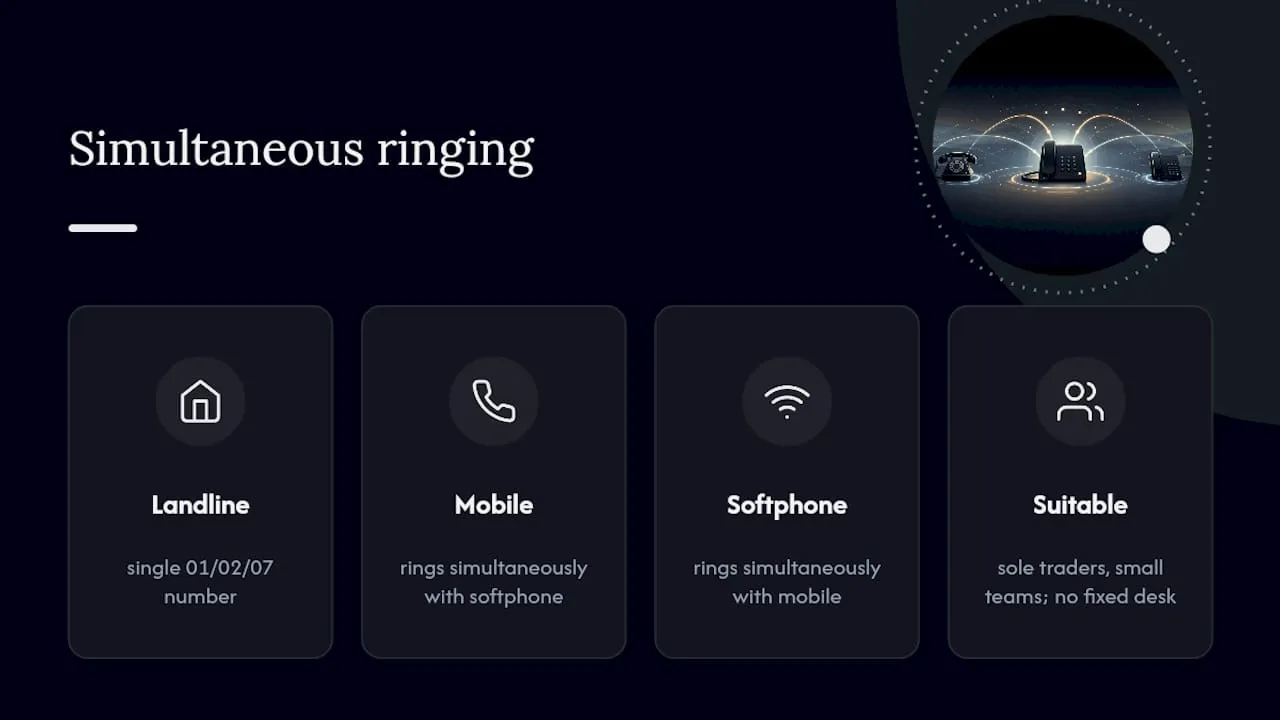
Yes, simultaneous ringing lets a single 01/02/07 number ring a mobile and a softphone together, which suits sole traders and small teams who don’t want a fixed desk setup.
Why isn’t my call forwarding working after I saved the settings?
The most common causes are an incorrectly formatted destination number, a failover that was never enabled, or an account billing block, all of which PhoneNumbers.Store’s call forwarding checklist walks through in detail.
Does forwarding calls from my landline number cost extra?
Forwarded minutes typically count against your plan or bill per minute, with international or mobile destinations often priced higher than standard UK forwarding, so check your plan’s rates before enabling high-volume routing.
