
A virtual PBX is a business phone system that runs on VoIP and lives in the cloud rather than in a cupboard full of hardware. It suits almost any small or medium business, especially one with remote staff or multiple sites, though a handful of large enterprises with strict data residency rules still choose to keep systems on-premises. With the PSTN switch-off looming and virtual numbers now routing anywhere, most businesses buying a phone system today are buying this one.
TL;DR:
- Moving to a virtual PBX reduces costs through predictable monthly fees, with most providers offering per-user rates and optional bundled features.
- Bandwidth capacity and internet stability are critical, as concurrent calls require sufficient upload and download speeds with quality of service settings.
- Essential features include auto attendant, call queues, CRM integration, voicemail-to-email, and number management, but capabilities vary by provider.
- Cloud-hosted PBX systems shift control from hardware ownership to provider maintenance, with most organizations migrating fully by 2026, except those with strict compliance needs.
- Businesses should verify support SLAs, number portability, and test bandwidth before switching, while ensuring security with encryption and redundancy measures.
Table of Contents
- How does virtual PBX work?
- What are the benefits of virtual PBX for business?
- What features should you expect from a virtual PBX?
- Virtual PBX vs traditional PBX: what actually changes?
- What does setup cost and how long does it take?
- How secure and reliable is virtual PBX?
- Who actually needs a virtual PBX?
- How do you choose between virtual PBX providers?
- Where memorable numbers fit into your virtual PBX
- The procurement lens most guides miss
- Sources
- FAQ
How does virtual PBX work?
Traditional phone systems relied on copper wires and a physical switchboard. Virtual PBX strips that out. Voice gets converted into digital packets and sent over your internet connection using VoIP, and the actual switching software runs on servers inside your provider’s data centre rather than a box in your server room.
Your phone numbers get mapped to extensions through SIP trunks, which are essentially the digital equivalent of phone lines. This is how a call to your main business number gets routed to reception, then transferred to sales, then bounced to someone’s mobile if nobody picks up.
Staff connect through whichever endpoint suits them:
- IP desk phones, which look and feel like normal office phones but plug into your network instead of a phone socket
- Softphone apps running on a laptop
- Mobile apps that turn a personal phone into a business extension without giving out the personal number
The one thing to budget for is bandwidth. Each concurrent call needs a slice of upload and download speed, and providers typically recommend Quality of Service (QoS) settings on your router so voice traffic doesn’t get stuck behind a large file download. Most cloud providers also offer automatic failover, rerouting calls to mobiles or another site if your main internet connection drops.
What are the benefits of virtual PBX for business?
The financial case is usually the one that gets a virtual PBX past finance. Instead of buying a PBX cabinet and paying an engineer to install it, you pay a monthly per-user fee. Cloud PBX shifts spending from a big upfront capital cost to a predictable subscription, which is far easier to model in a budget spreadsheet than a five-year hardware refresh cycle.
Pro Tip: Ask any shortlisted provider for their exact per-user rate at your expected headcount, not just the advertised “from” price. Concurrent-call bundles and setup fees can shift the real cost significantly.
Beyond cost, the practical wins stack up quickly:
- Scaling up or down takes minutes, not a callout from an engineer
- Remote and hybrid staff get a full extension wherever they’re working, with no forwarding tricks required
- Features like call queues, CRM integration and analytics arrive as standard rather than a costly add-on
- You’re not exposed when PSTN and ISDN lines get switched off nationally, a process already under way across the UK
Moving to VoIP-based calling can meaningfully cut communication costs against legacy PBX line rental and maintenance, though the actual savings depend heavily on your call volumes and provider pricing.
What features should you expect from a virtual PBX?
Not every provider bundles the same feature set, but a handful of capabilities separate a genuine business-grade system from a glorified call forwarding app.
- Auto attendant and intelligent routing – callers hear a menu and get directed to the right team or person automatically, without a human answering every call.
- Call queues, recording and analytics – essential for any team handling support or sales calls at volume, letting managers see wait times and call outcomes.
- Voicemail-to-email and presence – voicemails land in your inbox as audio files, and staff can see at a glance who’s on a call or available.
- CRM and helpdesk integrations – calls can log automatically against a customer record, saving admin time on every single interaction.
- API access – lets larger teams build custom workflows around the phone system rather than working around its limits.
- Number management – porting existing numbers in, adding virtual numbers for new regions, and keeping full ownership if you switch provider later.
Hosted PBX platforms tend to focus tightly on call handling; if your team also needs bundled video and chat, that’s more the territory of UCaaS than a pure virtual PBX.
Virtual PBX vs traditional PBX: what actually changes?
The core difference is who owns the risk and the hardware. A traditional, on-premises PBX is a capital purchase: you buy the cabinet, pay for installation, and carry the maintenance contract. A virtual PBX is an operating expense, billed monthly, with the provider carrying the maintenance burden.
That trade brings real considerations:
- Control versus convenience. On-premises systems keep everything inside your own network, which matters if data residency rules are strict.
- Internet dependency. Virtual PBX needs a stable connection; most providers offer PSTN fallback routing for outages, but it’s worth confirming.
- Hybrid migration. SIP trunking lets you keep existing on-premises hardware while routing calls over VoIP, a useful stepping stone rather than an all-or-nothing switch.
By 2026, most PBX deployments are cloud-hosted rather than physical hardware, and on-premises setups are increasingly the exception rather than the default, mostly confined to organisations with specific compliance demands.
What does setup cost and how long does it take?
Migration usually runs in stages: number porting, provisioning of extensions, staff training on the new softphone or handsets, then a cutover date. Most SMEs are fully live within two to four weeks, though porting numbers from an old provider can occasionally add delays if paperwork isn’t submitted promptly.
Admin happens one of two ways: a self-service portal where you manage extensions and routing yourself, or a fully managed service where the provider handles changes for you. Pricing tends to follow one of three shapes:
- Flat per-user monthly licence
- Tiered bundles based on concurrent call capacity
- Usage-based billing on top of a lower base fee
Pro Tip: Ask upfront whether porting your existing number carries a fee. It’s a common one-off cost that gets missed in early budget conversations and then causes friction at invoice time.
The most common pitfall isn’t the software. It’s discovering, after go-live, that office broadband can’t handle the concurrent call load. Test bandwidth before cutover, not after.
How secure and reliable is virtual PBX?
Security and uptime are where “cheap” providers tend to cut corners, so it’s worth checking specifics rather than taking a sales page at face value.
- Calls should run over TLS and SRTP encryption, not plain unencrypted VoIP traffic
- Role-based access controls stop junior staff from changing call routing or listening to recordings they shouldn’t
- Ask about data centre redundancy and DDoS protection, since a single point of failure defeats the point of going cloud-based
- Look for a published SLA with a real uptime percentage, not a vague “high availability” claim
- Failover routing should kick in automatically if the primary connection drops, rerouting to mobiles or a backup site
If your industry has specific compliance obligations, such as call recording retention rules, it’s worth getting a legal or compliance opinion rather than relying on a vendor’s marketing claims about “compliance-ready” systems.
Who actually needs a virtual PBX?
Some businesses gain far more from switching than others, and it’s worth being honest about where the value concentrates.
- SMEs with remote or multi-site teams get the clearest win, since extensions follow the person rather than the desk.
- Support centres and appointment-driven businesses (clinics, trades, salons) benefit from queues, routing and voicemail-to-email keeping missed calls to a minimum.
- Seasonal or fast-scaling teams can add and remove extensions in minutes rather than waiting on hardware installs.
- Large enterprises with strict data residency requirements are the main exception, sometimes still preferring on-premises systems for regulatory reasons.
How do you choose between virtual PBX providers?
Start with your actual workflows, not a feature checklist copied from a vendor’s homepage. Match mandatory integrations, such as your CRM or helpdesk, before comparing anything else.
- Confirm uptime SLA, support hours and how escalations are handled out of hours
- Check number portability and international calling rates if you operate across borders
- Run a pilot with real staff on real internet before committing to a full cutover
- Compare total cost of ownership across 12 to 36 months, not just the headline monthly price
Pro Tip: Get the total three-year cost in writing, including porting fees, add-on licences and any early termination charges, before signing. Headline per-user pricing rarely tells the full story.
Where memorable numbers fit into your virtual PBX
Phonenumbers specialises in memorable UK 01, 02, 07, 03 and 08 numbers, and virtual numbers slot straight into any cloud PBX setup, routing calls to whichever endpoint you choose. A local area code can strengthen a business’s local presence even if your team works from anywhere, and a genuinely memorable sequence tends to stick in a customer’s mind far better than a random string of digits.
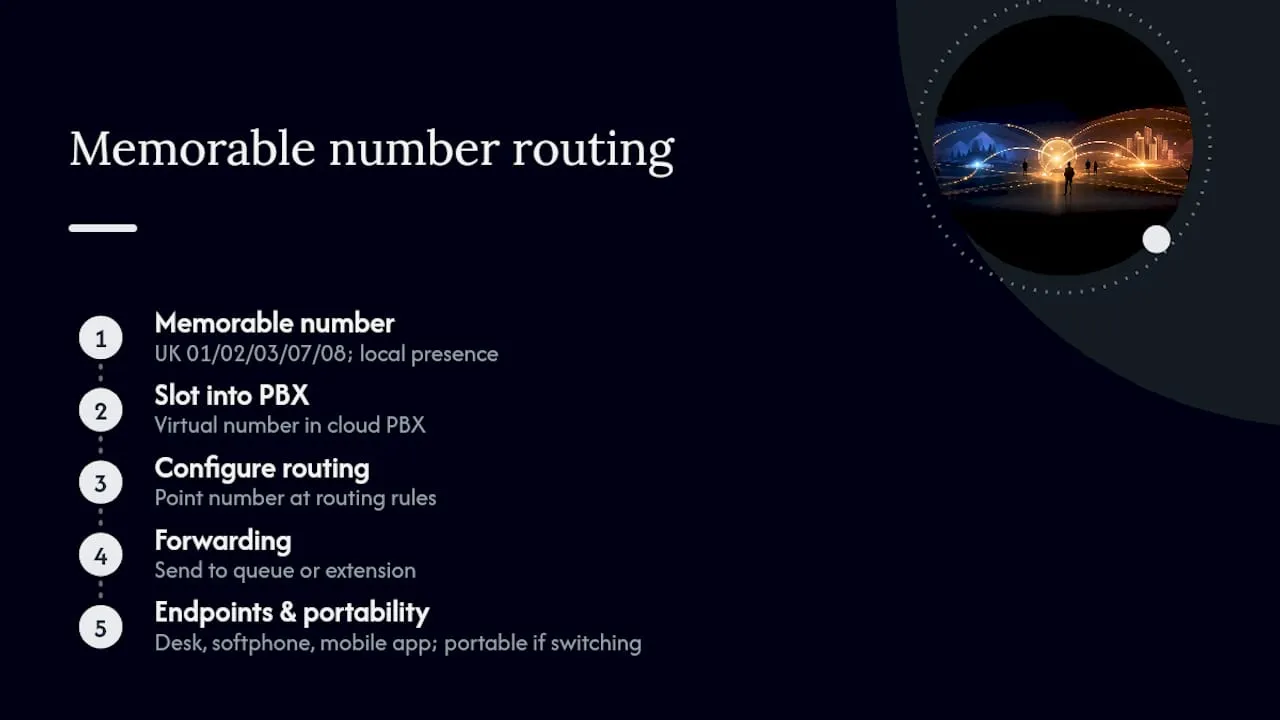
Configuration is usually simple: point the number at your PBX’s routing rules, set forwarding to a queue or extension, and it works with desk phones, softphones and mobile apps alike, with full portability if you ever switch provider.
The procurement lens most guides miss
Most virtual PBX guides sell features. Few connect those features back to the actual questions finance and IT ask before signing a contract, and that gap is where deals stall or get regretted six months in.
The cost shape matters more than the headline price. A per-user subscription that looks cheap at ten seats can look very different at fifty, especially once concurrent-call tiers kick in. Ask for pricing at your projected headcount, not your current one.
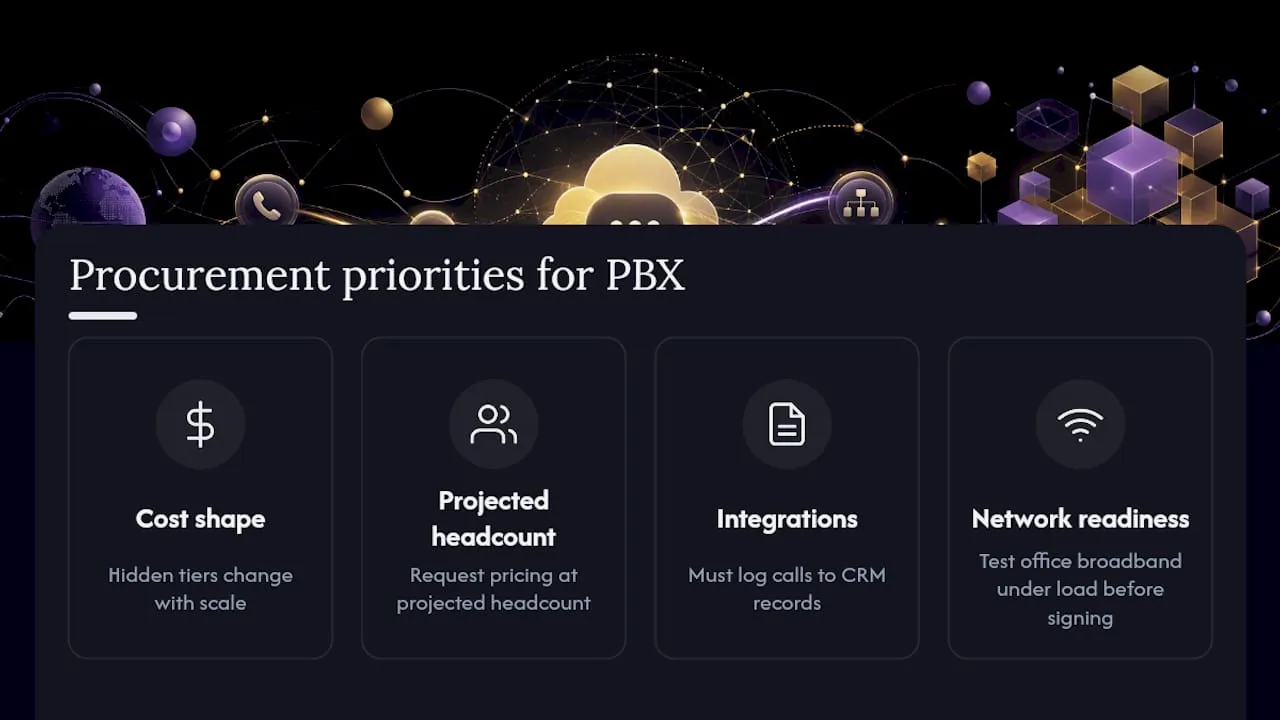
Integrations get treated as a nice-to-have when they should be a gating question. If your team lives in a CRM, a phone system that doesn’t log calls against customer records is adding admin work, not removing it. That’s the opposite of what a switch to cloud is meant to achieve.
Network readiness is the most underestimated risk. Providers rarely volunteer that your office broadband might struggle under load, so it’s on the buyer to test before signing rather than after. Pair the system with a memorable number and proper routing, and the switch tends to pay for itself faster than most procurement timelines assume.
— Rob
Sources
- What Is a PBX Phone System? How It Works UK 2026
- PBX vs VoIP: Key Differences for UK Businesses
- The Difference Between UCaaS, VoIP, and Hosted PBX (Explained Simply)
FAQ
What’s the difference between PBX and VoIP?
PBX is the switching system that routes calls inside a business; VoIP is the technology that carries those calls as digital packets over the internet. A virtual PBX combines both, running PBX software in the cloud and using VoIP to connect calls.
What is a PBX and how does it work?
A PBX is a business telephone system that manages internal and external calls across multiple extensions. In 2026, most PBX systems are cloud-hosted rather than built from physical hardware on-site.
Is FreePBX still free?
FreePBX itself remains free, open-source software, though running it still requires paying for hosting, a SIP trunk provider and technical setup, so it’s rarely a zero-cost option in practice.
Do people still use PBX?
Yes, though the technology behind it has shifted almost entirely. Businesses still rely on PBX systems for call routing and extensions, but most now run on cloud infrastructure rather than the on-premises hardware that defined PBX for decades.
