
TL;DR:
- Outdated phone numbers on websites cause customer frustration and lost business opportunities.
- Use platform-specific tools and central management to update contact details efficiently and consistently.
- Ensure phone numbers are clickable, accessible, and comply with UK WCAG standards to maximize usability and trust.
A customer finds your business online, they like what they see, and they reach for the phone. They dial the number on your website. Nothing. Wrong number. They shrug and click straight to your competitor. This scenario plays out thousands of times a day across the UK, and it costs businesses real money. An outdated phone number on your website isn’t a minor admin slip; it’s a broken door. This guide walks you through everything you need to update your contact details quickly, correctly, and accessibly, so that every customer who wants to reach you actually can.
Table of Contents
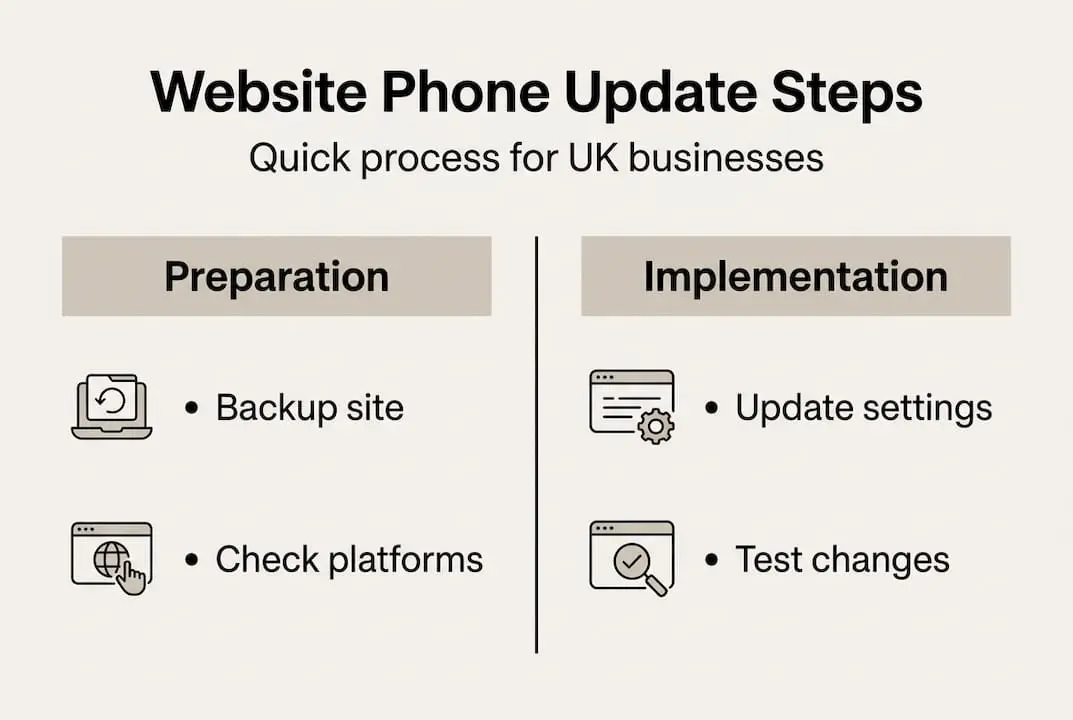
- What to prepare before updating your phone number
- How to update phone numbers in popular website platforms
- Making phone numbers clickable and mobile-friendly
- Ensuring accessibility and compliance for your new phone number
- Why fast, accessible phone updates are more important than ever
- Enhance your business communication with memorable phone numbers
- Frequently asked questions
Key Takeaways
| Point | Details |
|---|---|
| Centralised management | Update your number once in your CMS to keep all pages accurate and consistent. |
| Clickable tel links | Clickable phone numbers increase mobile enquiries and should always use the +44 UK format. |
| Accessibility matters | High-contrast, keyboard-friendly numbers ensure your business complies with UK law and is easy to reach for everyone. |
| Double-check updates | Test your changes on different devices to guarantee customers can reach you easily. |
What to prepare before updating your phone number
Before you touch a single digit on your website, a little preparation saves a lot of trouble. Rushing straight into your site editor without the right materials is the fastest route to mistakes, broken links, and a number that displays correctly but dials the wrong destination.
Here’s a checklist of everything you should gather first:
- Admin login credentials for your website platform (WordPress, Shopify, Wix, or whichever you use)
- The new phone number in two formats: a display format (e.g. 0113 255 0000) and an E.164 call format (e.g. +441132550000) for clickable links
- A list of every page where your phone number appears, including the header, footer, contact page, and any landing pages
- Backup access: a recent backup of your site or the ability to clone your current theme before making changes
- Your CMS or theme documentation, so you know which fields control global contact information
Different platforms store contact details differently. In WordPress, numbers often live inside a theme’s Customiser under “Contact Information” or within a widget area. Shopify themes typically manage contact details through theme settings or a dedicated section editor. Wix stores them in individual page sections, which means you may need to check multiple places manually.
The most efficient approach is to use your platform’s central management tools. Centralising updates prevents inconsistencies across pages and avoids errors that creep in when you edit pages one by one. If your theme doesn’t support a global contact field, consider whether it’s time to upgrade your setup before making changes.
Pro Tip: Before editing anything live, clone your active theme or create a staging version. This gives you a safe copy to fall back on if something goes wrong during the update process.
For a broader walkthrough of what’s involved, the step-by-step phone update guide covers the process from start to finish. The UK’s accessibility compliance standards also recommend keeping contact details consistent and easily locatable, so starting with a thorough audit pays dividends.
| Platform | Where to find phone settings | Central update possible? |
|---|---|---|
| WordPress | Customiser > Contact Info or widget areas | Yes, via Customiser |
| Shopify | Online Store > Themes > Customise | Yes, via theme settings |
| Wix | Page editor, section by section | Partial (no global field) |
How to update phone numbers in popular website platforms
With your checklist complete and your backup in place, it’s time to open your platform and make the changes.
WordPress
- Log in to your WordPress dashboard.
- Go to Appearance > Customise.
- Look for a “Contact Information” or “Header” section and update both the display number and the tel: link.
- If your number appears in a footer widget, navigate to Appearance > Widgets and update it there.
- Save and publish your changes.
WordPress sites can update numbers securely using the Customiser, altering central fields for both display and call formats in one place. This is far cleaner than hunting through individual pages.
Shopify
- Go to Online Store > Themes.
- Click Actions > Duplicate to clone your live theme.
- Open the duplicate theme and click Customise.
- Locate the section containing your phone number and update it.
- Preview thoroughly, then publish the updated theme.
Shopify best practice involves cloning your theme to a staging version first, testing all changes, and only then publishing. This prevents a simple typo from going live unnoticed.
Wix
- Open the Wix Editor for your site.
- Click on each section where your phone number appears (header, footer, contact section).
- Edit the text element directly.
- Publish when all instances are updated.
For the tel: link format specifically, always use digits only with no spaces, and include the UK country code. For example, a Leeds number would be formatted as "tel:+441132550000`. The full clickable phone number guide explains precisely how to add this in both the visual editor and raw HTML.
Pro Tip: After updating, test on both a desktop browser and a real mobile device. What displays correctly on a screen may still dial incorrectly if the tel: link format contains spaces or a missing country code.

| Format type | Example | Used for |
|---|---|---|
| Display | 0113 255 0000 | On-screen text |
| E.164 | +441132550000 | tel: link href |
If your business is moving towards a more modern image, reading about updating on mobile-friendly platforms can inform whether a mobile number better suits your audience. And if you’re considering a refresh, choosing memorable numbers is worth exploring before you finalise what goes on the site.
Making phone numbers clickable and mobile-friendly
Updating the number is step one. Making it genuinely easy to use on a smartphone is where you win customers.
Over half of all website visits in the UK happen on mobile devices. A customer who has to manually copy your number, switch to their phone dialler, and type it in is a customer who may simply give up. Clickable tel: links remove that friction entirely.
Here’s how to add a clickable number in HTML:
- Open the HTML editor for the section containing your phone number.
- Wrap the number in an anchor tag:
<a href="tel:+441132550000">0113 255 0000</a> - The display text (inside the tag) uses the readable format; the href uses E.164.
- Save and test on a real mobile device by tapping the number.
Clickable tel links boost mobile inquiries by up to 20 to 30% and should be styled with sufficient size and contrast to stand out clearly on smaller screens.
Where you place your clickable number matters just as much as the format. The most effective locations are:
- Header: visible on every page without scrolling
- Footer: catches visitors who have read the full page
- Contact page: obvious, expected, and essential
- Call-to-action buttons: paired with prompts like “Call us now” for higher click rates
Numbers buried in a dense block of body text or styled in a light grey font are easy to miss. A prominent, well-styled clickable number signals that your business is open, reachable, and professional. That perception has genuine commercial value, as explored in the discussion on custom phone number value.
Pro Tip: Add a subtle phone icon next to your number using an emoji or an icon font. It reinforces that the number is tappable and increases click rates on mobile without any extra code.
Businesses that have invested in improving business call rates consistently find that visibility and ease of use are the two biggest factors. The number itself matters, but so does how prominently and helpfully it is presented.
Ensuring accessibility and compliance for your new phone number
Having a clickable, well-placed number is excellent. Having one that every visitor can actually use, including those with disabilities, is a legal and ethical requirement in the UK.
UK websites must meet WCAG 2.2 AA for contact details, with requirements for high contrast, keyboard access, and screen reader support mandated by the Equality Act 2010. Failing to comply isn’t just a technical shortcoming; it can expose your business to legal risk.
Here’s what accessible phone numbers look like in practice:
- Colour contrast: Your phone number text must have a contrast ratio of at least 4.5:1 against its background. Light grey on white fails this test.
- Focus indicators: If a user is navigating with a keyboard, the phone number link must have a visible focus outline so they can locate and activate it.
- Keyboard navigation: The tel: link must be reachable and activatable without a mouse.
- Screen reader compatibility: Use plain text for your number, never an image of a number. If you use an icon alongside it, add an ARIA label so screen readers announce the number correctly.
- No numbers as images: A screenshot of your phone number looks identical to a sighted user but is completely invisible to a screen reader.
Common pitfalls include decorative phone icons that screen readers read aloud as meaningless characters, and telephone numbers formatted with special characters that screen readers mispronounce.
To test your changes, use the free WCAG compliance guidance and run your updated contact page through the WAVE accessibility checker. Follow up with a real device audit using a screen reader such as NVDA (Windows) or VoiceOver (Mac and iOS).
For UK small and medium-sized enterprises, the guidance on business phone compliance offers additional context on keeping your communication setup within current legal frameworks.
Why fast, accessible phone updates are more important than ever
Most business owners treat a phone number update as a five-minute admin job. Change the digit, move on. But that framing misses something important.
Your phone number on your website is a trust signal. It tells visitors that you are real, reachable, and confident enough to invite direct contact. When it’s wrong, outdated, or impossible to tap on a phone, the message it sends is the opposite of reassuring. Customers don’t think “their admin is behind”; they think “can I trust this business at all?”
The accessibility dimension adds another layer. Businesses that make their contact details genuinely easy to use for everyone, including people with visual impairments or motor difficulties, gain a competitive edge that most of their rivals ignore entirely. It’s a small investment with outsized returns in goodwill and reach.
In an era where customer journeys are increasingly digital and decisions are made in seconds, the gap between a well-maintained contact page and a neglected one can mean the difference between a new client and a missed opportunity. Building a brand presence with memorable numbers is part of this wider picture. The number you publish, and how you publish it, is part of your brand.
Enhance your business communication with memorable phone numbers
Updating your website’s phone number is a powerful step. Pairing that update with a genuinely memorable number takes it further still.
At phonenumbers.store, we offer a searchable database of UK landline (01 and 02) and mobile (07) numbers that are designed to stick in your customers’ minds. Numbers like 0113 255 0000 or 0113 273 2222 are easy to recall, easy to dial, and easy to feature prominently on your website. Importantly, these numbers are no longer tied to a local area, so you can use them anywhere in the UK. When you combine a memorable number with a properly updated, accessible website, every part of your customer communication works together seamlessly.
Frequently asked questions
What is the best format for UK website phone numbers?
Use the E.164 format for links (+441132550000, no spaces) in your tel: href, and a readable local format (0113 255 0000) for the on-screen display text.
Do I need to update my phone number on every page of my website?
Not if you use your CMS’s central settings. Centralised updates prevent inconsistencies and mean a single change cascades site-wide, saving time and eliminating the risk of missed instances.
How do I know my number is accessible to all users?
Run your contact page through the WAVE tool and follow WCAG 2.2 AA guidelines for contrast ratios, keyboard navigation, and screen reader compatibility to confirm your number is fully accessible.
Will updating my phone number affect search engine rankings?
Provided you update the number consistently across all pages, structured data, and external directory listings, your local SEO and search relevance will remain intact and may even improve with the corrected information.
