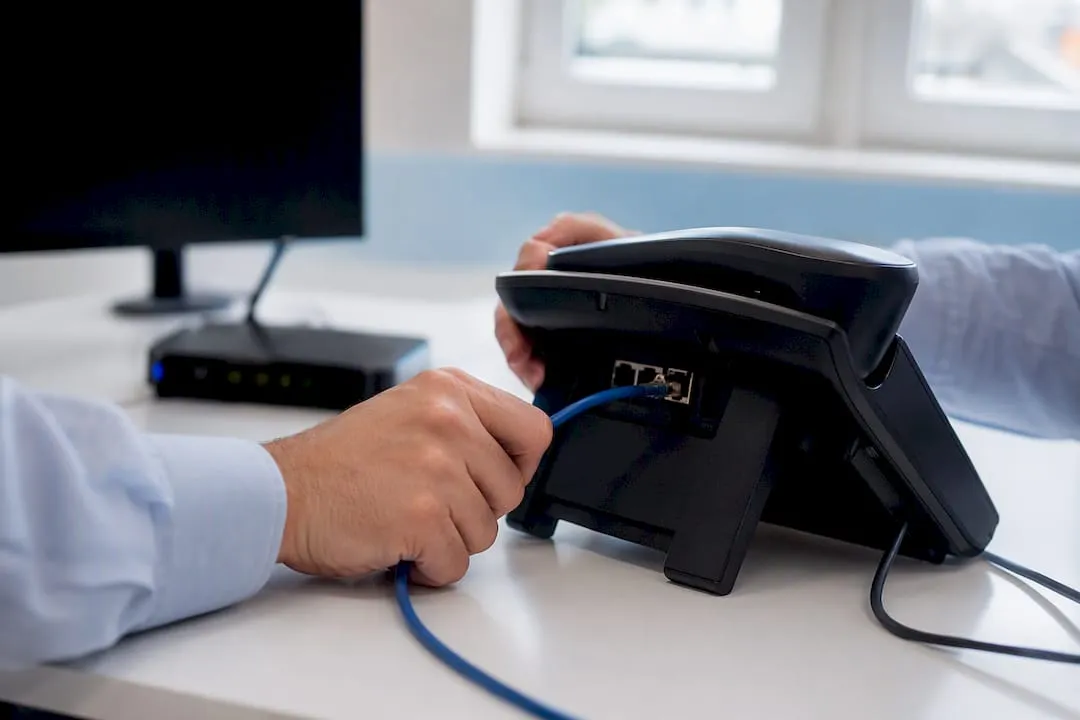
A VoIP system carries voice as internet data packets rather than sending it down copper phone lines. VoIP stands for Voice over Internet Protocol, and it replaces the traditional PSTN and ISDN networks that UK phone lines have relied on for decades. That distinction matters right now because the UK’s copper network is being retired, and businesses still running old-style lines need a plan before it disappears.
In practice, a VoIP system might look like:
- A desk phone that plugs into your broadband router instead of a phone socket
- A softphone app on your laptop or mobile that makes and receives calls over Wi-Fi or 4G/5G
- An adapter (ATA) that lets an old analogue handset keep working over broadband
- A hosted platform that routes calls, voicemail, and call recording through the cloud
Key Takeaways
VoIP systems replace copper phone lines with internet-based calling, and the UK’s mandatory migration deadline in early 2027 makes migration planning unavoidable for every business still on PSTN or ISDN.
| Point | Details |
|---|---|
| Definition | VoIP carries voice as internet data packets instead of over traditional copper phone lines. |
| Quality thresholds | Aim for latency, jitter, and packet loss to stay within recommended thresholds for clear call quality per ITU G.114 guidance. |
| UK deadline | Analogue and ISDN services face a mandatory switch-off on 31 January 2027, per GOV.UK. |
| Hidden pitfalls | Alarms, lift phones, and card terminals often need ATAs or replacement before switch-off. |
| Number continuity | Phonenumbers lets you keep or acquire a memorable number that ports and forwards across any VoIP setup. |
Table of Contents
- What is a VoIP phone system? Definitions and key terms
- How does VoIP work, from your voice to the other person’s ear?
- Who actually uses VoIP, and what do they gain?
- What are the downsides of VoIP, and how do you fix them?
- What equipment do you need to set up VoIP?
- Why the UK’s 2027 switch-off makes this urgent
- The equipment nobody thinks about until it stops working
- What the switch-off panic gets wrong
- How Phonenumbers helps you make the move
- Sources
- FAQ
What is a VoIP phone system? Definitions and key terms
A VoIP system is any setup, hardware or software, that sends voice calls as data over an internet connection instead of through the circuit-switched PSTN. The FCC’s overview of VoIP describes it plainly: voice gets converted into a digital signal that travels over the internet, and if you’re calling a normal landline or mobile number, that signal gets converted back to the traditional phone network at a gateway.
The older PSTN model depends on a dedicated physical circuit for the duration of a call, which is why it’s called circuit-switched. VoIP instead breaks your voice into small chunks of data, called packets, and sends them across the same network your emails and Netflix stream use. It’s a fundamentally different way of moving sound from one ear to another.
A handful of terms come up constantly once you start reading about VoIP:
- SIP (Session Initiation Protocol): the signalling standard that sets up, manages, and ends a call
- PBX (Private Branch Exchange): the system that routes calls within an organisation, whether it’s a physical box in a server room or hosted in the cloud
- UCaaS (Unified Communications as a Service): cloud platforms bundling voice, video, and messaging into one subscription
- Softphone: an app that turns a computer or smartphone into a phone
- ATA (Analogue Telephone Adapter): a small box that connects an old-fashioned phone to a VoIP line
VoIP existed in a rough form since the 1990s, but it only became a serious contender for business phone lines once broadband got fast and reliable enough to carry real-time voice without dropouts. That shift, combined with cloud computing making hosted platforms cheap to run, is why VoIP went from a novelty to the default choice for new business phone systems.
How does VoIP work, from your voice to the other person’s ear?
Every VoIP call goes through the same basic sequence, whether you’re a sole trader on a mobile app or a call centre with 200 agents.
Your voice starts as sound waves. The device you’re speaking into, whether a desk phone or a laptop microphone, converts that sound into a digital signal using a codec. Codecs like G.711 or the more bandwidth-friendly G.729 compress your voice into a stream of data small enough to send efficiently over the internet, without making you sound like a robot.
That digital stream then gets chopped into packets. Each packet travels independently across the network using RTP (Real-Time Transport Protocol), and they get reassembled into audio the moment they arrive at the other end. Meanwhile, a separate protocol, almost always SIP, handles the “plumbing”: establishing the call, negotiating which codec to use, and cleanly ending the session when someone hangs up.
If you’re calling another VoIP user, the packets can travel end-to-end over the internet. If you’re calling a standard landline or mobile number, your provider routes the call through a gateway that converts the digital signal back into a format the PSTN understands, exactly as the FCC describes.
Three technical factors determine whether a VoIP call sounds crisp or like it’s coming from underwater:
- Latency: the delay between speaking and being heard
- Jitter: inconsistent timing between packets arriving
- Packet loss: data that never arrives at all
Statistic callout: For a call to sound genuinely clear, the ITU’s G.114 recommendation sets a benchmark of latency under 150 milliseconds one-way, jitter under 30 milliseconds, and packet loss below 1%. Cross those thresholds and you’ll notice it, usually as talking over each other, robotic gaps, or dropped syllables.
Who actually uses VoIP, and what do they gain?
VoIP suits almost anyone who makes phone calls, but the reasons shift depending on scale. A sole trader wants to stop paying for a landline they barely use. A 20-person office wants call recording and an auto attendant without hiring an IT team. A call centre wants analytics on hold times and agent performance.
- Lower running costs. There’s no line rental in the traditional sense, calls between users on the same platform are typically free, and per-user pricing tends to be predictable rather than tied to call volume.
- Built-in features that used to cost extra. Auto attendants, call recording, voicemail-to-email, and call analytics are often bundled into hosted plans rather than sold as pricey add-ons.
- Genuine flexibility. A softphone app means your business number works from a laptop in a coffee shop just as well as a desk phone in an office. One number, several devices, no forwarding faff.
- No on-premise PBX to maintain. Hosted VoIP shifts the hardware and software updates to the provider, which matters enormously for a small business with no dedicated IT support, since hosted platforms centralise management and can reduce per-user costs compared with running your own box.
- Scaling without pain. Adding a tenth or fiftieth user is usually a few clicks in an admin portal, not a call-out from an engineer to run new cabling.
The cost logic behind this isn’t just marketing. Voice compressed for VoIP can run at around 14 kbps per call compared with the 64 kbps a traditional PSTN circuit ties up, which is part of why packet-switched voice networks became so much cheaper to scale than dedicated circuit-switched ones. If your business relies on remembering or promoting a specific number, that flexibility extends further: a memorable business number can sit on top of a VoIP system and follow you between devices, locations, or even providers.
What are the downsides of VoIP, and how do you fix them?
VoIP isn’t flawless, and pretending otherwise does readers no favours. The honest downsides tend to fall into four categories, each with a workable fix.
- Internet dependency. No broadband, no calls, unless you’ve planned for it. Mitigation: configure call forwarding to mobile numbers, set up automatic diversions during outages, or invest in a dedicated leased line if uptime is critical.
- Call quality variance. Poor Wi-Fi or congested broadband can push latency, jitter, or packet loss past the thresholds that make speech intelligible.
- Security exposure. VoIP traffic travels over the same networks as everything else, which means it’s a target.
- Regulatory considerations. Regulated sectors (finance, healthcare) often need specific call recording and retention setups that not every VoIP plan includes by default.
Statistic callout: Providers aiming for business-grade quality generally engineer their networks to stay within the same ITU G.114 benchmarks mentioned earlier, latency under 150ms, jitter under 30ms, packet loss under 1%, because breaching them is what causes the garbled calls people associate with “bad VoIP.”
On security specifically, look for a provider using SIP over TLS (encrypting the signalling) and SRTP (encrypting the actual voice data), alongside strong, unique credentials for every device and a properly configured firewall that doesn’t leave your SIP ports wide open to the internet.
Pro Tip: Ask any VoIP provider directly whether they encrypt signalling and media by default, or whether it’s an optional extra. If it’s optional, that tells you plenty about their security posture.
What equipment do you need to set up VoIP?
Getting a working VoIP line up doesn’t require a server room, but it does require a bit of planning before you buy anything.
Start with your broadband. VoIP calls need roughly 100 kbps of stable, low-latency bandwidth per simultaneous call when using efficient codecs, so a household with two people on calls at once needs a fairly modest but reliable connection, not necessarily a superfast one.
Then choose your hardware:
- Check your broadband is stable enough for the number of simultaneous calls you expect, and test it under real conditions, not just a speed test at 3am.
- Pick between hosted VoIP and SIP trunking. Hosted platforms manage everything in the cloud and suit most small and medium businesses; SIP trunking connects your existing on-premise PBX to a VoIP provider, which suits larger organisations with legacy investment.
- Choose your devices, IP desk phones for reception areas, softphone apps for hybrid workers, or ATAs if you’ve got analogue equipment you’re not ready to retire.
- Port your existing numbers so customers don’t need to learn a new one, a process that can take longer than the rest of the setup combined.
- Configure and test in stages, starting with a handful of users before rolling out to the whole team.
Most small businesses can be fully operational within days to a few weeks, with porting and staged testing being the main variables that stretch the timeline.
Pro Tip: Run your new VoIP line in parallel with your old one for at least a week before switching over fully. It costs a little extra but catches problems while you still have a fallback.
Why the UK’s 2027 switch-off makes this urgent
This isn’t a distant, theoretical shift. Gov that analogue and ISDN phone services are being switched off across the UK, with a mandatory migration deadline of 31 January 2027. After that date, the copper network that’s carried British phone calls for over a century simply won’t be there.
For most businesses, migration means:
- Auditing every device connected to a phone line, not just the obvious handsets
- Choosing a hosted VoIP platform or SIP trunk provider well before the deadline
- Porting existing numbers so customers and suppliers see no disruption
- Testing thoroughly rather than flipping a switch on the day itself
Statistic callout: With the deadline fixed at 31 January 2027, this changes the practical question from “should we move to VoIP” to “how soon do we start,” particularly for organisations with older equipment that needs replacing rather than simply reconfiguring.
The common pitfall is leaving it too late. Porting numbers, testing call quality, and training staff all take longer than expected, and providers get busier as the deadline approaches. Businesses that start the process now, rather than in late 2026, tend to have a far smoother experience with migrating away from ISDN and PSTN services.
The equipment nobody thinks about until it stops working
The biggest migration mistakes rarely involve the phones themselves. They involve everything quietly plugged into a phone line that nobody remembers is there.
- Intruder and fire alarms that dial out over a copper line when triggered
- Lift emergency phones, legally required to work, often forgotten during IT-led migrations
- Card payment terminals in shops and restaurants still running on old analogue backup lines
Legacy devices like these frequently fail after a straightforward line swap because they were never designed to run over IP. They typically need an ATA or a full replacement, and finding that out on switch-off day is the worst possible time.
On number porting, keep your old and new systems running in parallel wherever possible, and test with a handful of real calls before committing fully.
- Inventory every device connected to a phone socket before you touch anything
- Run parallel systems during the transition rather than a hard cutover
- Verify emergency services routing works correctly if your business has any legal obligation around it
Pro Tip: Walk the building. A five-minute physical check of every socket often finds more “shadow” devices than any spreadsheet audit.
What the switch-off panic gets wrong
Most coverage of the PSTN switch-off treats it as a pure IT problem: swap the phones, done. The businesses that struggle most aren’t the ones with old technology, they’re the ones who assume migration is only about the phones and skip the unglamorous audit of everything else quietly wired into the old network.
The other pattern worth naming: firms treat VoIP purely as a cost-cutting exercise and then get caught out by quality issues, because they never checked whether their broadband could actually carry the calls they were promising customers. Sort the network first, and the phones take care of themselves.
Rob covers UK telecoms and business communications, with a focus on the practical realities of network migrations for small and medium-sized businesses.
— Rob
How Phonenumbers helps you make the move
Switching to VoIP is also the easiest moment to fix a number that’s forgettable, tied to the wrong area code, or hard to port cleanly. Phonenumbers sells and rents UK 01, 02, 03, 08, and 07 numbers that work with any VoIP setup, forward to mobiles or landlines, and go anywhere with you, because numbers aren’t locked to a location anymore.
Rather than being stuck with whatever number your broadband provider assigns, you can search Phonenumbers’ database by sequence, area code, or town, and configure it to forward straight into your new VoIP system from day one. That matters most during a migration, when keeping a recognisable number is often the difference between a smooth switch and a stream of confused customer calls. If a memorable number would help your business stand out post-migration, Phonenumbers and get one configured before your porting window opens.
Sources
- G.114: One-way transmission time
- Voice Over Internet Protocol (VoIP) — FCC
- The PSTN switch‑off: why it’s happening and what action you need to take — Colt
FAQ
Which is an example of VoIP?
WhatsApp calls, Zoom, and a hosted business phone system using a softphone app are all examples of VoIP, since each carries voice as internet data rather than over a traditional phone line.
Do I need a landline if I have VoIP?
No. A VoIP system, including a memorable number configured through a provider like Phonenumbers, can fully replace a landline for making and receiving calls, provided you have a stable broadband connection.
What are the downsides of VoIP?
The main downsides are dependency on your internet connection, potential call quality issues from poor bandwidth, and security exposure if signalling and media aren’t encrypted, though all three have practical fixes.
Why would someone use VoIP?
People and businesses choose VoIP for lower running costs, built-in features like call recording and auto attendants, and the flexibility to take a business number anywhere on a laptop, phone, or desk handset.
