
TL;DR:
- Number privacy protects your phone number from unauthorized access, exposure, and misuse. Layered defenses like carrier locks, virtual numbers, and app-based authentication reduce the risk of leaks and account hijacks. Managing multiple numbers and switching to app-based 2FA enhances your overall privacy and security.
Number privacy is defined as protecting your phone number from unauthorised access, exposure, and misuse through a combination of carrier security features, virtual numbers, and caller ID management. Your phone number is the key to your identity online. Phone numbers were linked to over 1.35 billion leaked records by early 2026, which means the risk of leaving your primary number exposed is not theoretical. UK individuals and businesses need a layered approach to secure their phone number, and this guide covers every practical method available right now.
How to ensure number privacy at the carrier level
The first line of defence sits with your mobile carrier. Most major UK carriers now offer free Port-Out Protection, also called Number Locks, which require a PIN or explicit authorisation before any number transfer is approved. This directly blocks SIM swap attacks, where a criminal convinces your carrier to move your number to a SIM they control.
Activating Port-Out Protection takes minutes. Contact your carrier by phone or through their app, request a Number Lock, and set a unique PIN that you do not use anywhere else. Write it down and store it securely offline.

The second carrier measure is your SIM PIN. A SIM PIN prevents your SIM from being used in another device without the correct code, even if someone physically steals your phone or SIM card. On most Android devices, you find this under Settings, then Security, then SIM card lock. On iPhone, go to Settings, then Mobile Data, then SIM PIN.
Key steps to activate carrier protections:
- Call your carrier or log into your account online and request Port-Out Protection or a Number Lock.
- Set a unique PIN for the lock. Never reuse a password from another account.
- Enable your SIM PIN through your phone’s security settings.
- Note your carrier’s fraud reporting number and save it separately from your phone.
Pro Tip: Ask your carrier to add a verbal password to your account. This means any agent must verify the password before making changes, adding a human layer on top of the digital lock.
How can virtual phone numbers help maintain number anonymity?
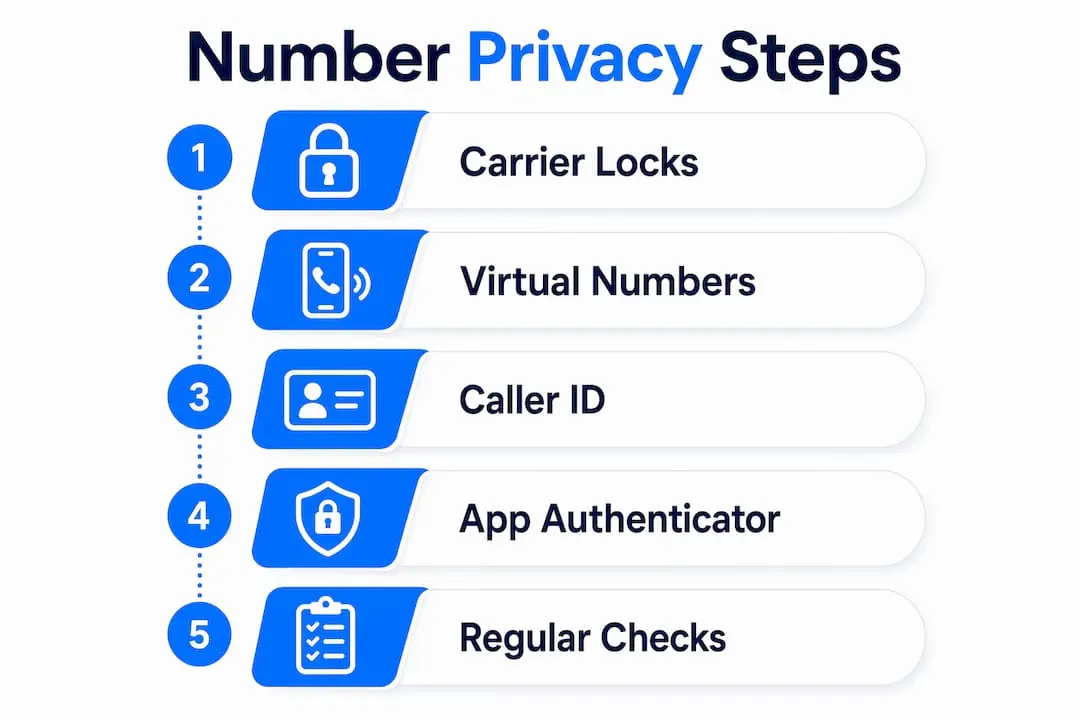
A virtual phone number is a second line that sits in front of your real number. You give the virtual number to websites, online marketplaces, and new contacts, keeping your primary number entirely private. If the virtual number gets leaked or spammed, you retire it without any impact on your main line.
The critical distinction is between VoIP and non-VoIP virtual numbers. Many platforms block VoIP-based virtual numbers for account verification, favouring carrier-backed virtual numbers instead. This matters because if you use a pure VoIP number for a bank or government service, the verification SMS will likely fail.
| Number type | Carrier backing | Verification success | Best use case |
|---|---|---|---|
| VoIP virtual number | No | Lower | General sign-ups, forums |
| Non-VoIP virtual number | Yes | Higher | Banking, identity checks |
| Primary personal number | Yes | Highest | Trusted contacts only |
The most effective approach is tier-based identity with separate numbers per platform type. Tier one is your real number, shared only with close contacts and your bank. Tier two is a non-VoIP virtual number for services that require identity verification. Tier three is a disposable VoIP number for low-trust sign-ups. A breach on tier three exposes nothing about tiers one or two.
Phonenumbers offers memorable UK 01, 02, and 07 numbers that function as genuine carrier-backed lines. You can use them anywhere in the UK regardless of the area code, making them ideal as a tier-two number for virtual number privacy without sacrificing verification reliability.
Pro Tip: Assign a different virtual number to each major category of your life: one for work, one for online shopping, one for social media. When spam arrives, you immediately know which category was compromised.
Which caller ID methods effectively hide your number?
Dialling #31# before a number hides your caller ID on UK voice calls instantly and at no cost. The #31# prefix works internationally to mask caller ID, but only for voice calls. This is the most widely misunderstood point in number privacy.
Caller ID blocking does not affect SMS visibility of your number. When you send a text from the same number, the recipient sees your real number regardless of any prefix you dialled. Scammers and data brokers can harvest your number from a single text message.
Practical caller ID methods and their limits:
- #31# prefix: Hides your number on outbound voice calls only. Free and instant. Does not work for SMS.
- Withheld number setting: Set your number as permanently withheld in your phone’s call settings. Same limitation applies to texts.
- Secondary number: The only method that protects both calls and texts. Use a virtual or secondary line for any contact you do not fully trust.
The conclusion is straightforward. Caller ID blocking is useful for one-off calls to unknown parties. For any ongoing communication where texts are involved, a secondary number is the only reliable way to keep your real number private.
How to use app-based authenticators to secure accounts linked to your number
SMS-based two-factor authentication (2FA) is the most common account security method in the UK, and it is also the most vulnerable to SIM swap attacks. Once a criminal controls your number, every SMS code goes to them.
Switching to app-based authenticators like Google Authenticator or Authy removes this risk entirely. These apps generate codes locally on your device, with no SMS involved. Hardware security keys such as YubiKey go one step further, requiring physical possession of the key to log in.
Migrating your accounts to app-based 2FA takes four steps:
- Log into the account you want to secure and go to its security or privacy settings.
- Find the two-factor authentication section and select “authenticator app” as your method.
- Scan the QR code displayed on screen using Google Authenticator or Authy.
- Save the backup codes provided in a secure offline location, then disable SMS 2FA for that account.
Repeat this process for your email, banking apps, and any account linked to your phone number. Experts recommend migrating important accounts from SMS 2FA as a priority step, because your phone number is the single point of failure for every account that relies on it. For a broader look at multi-factor authentication options, the principles of MFA apply directly to this migration.
Common mistakes that undermine phone number protection
The most frequent error is assuming caller ID blocking protects your number on texts. Masked caller ID codes only hide outbound calls; SMS sent from the same number still shows your real number. Many people apply #31# and then text freely, believing they are invisible. They are not.
The second common mistake is using a VoIP virtual number where a carrier-backed number is required. A VoIP number gets rejected by banks, HMRC, and most government platforms. You then fall back to your real number, defeating the purpose entirely.
Other mistakes to avoid:
- Skipping the SIM PIN. Most people never set one. A stolen SIM without a PIN gives immediate access to every SMS code on your accounts.
- Ignoring Port-Out Protection. Carriers do not enable this by default on all plans. You must request it actively.
- Using one number everywhere. A single number exposed across dozens of platforms is a single point of failure. Tier your numbers.
Pro Tip: Check whether your carrier has enabled Port-Out Protection by calling their customer service line and asking directly. Do not assume it is active. Many accounts have it switched off by default.
Key takeaways
Protecting your phone number requires layered defences: carrier locks, virtual numbers, and app-based authentication working together.
| Point | Details |
|---|---|
| Enable carrier protections | Activate Port-Out Protection and a SIM PIN with your UK carrier immediately. |
| Use virtual numbers by tier | Assign separate numbers for trusted contacts, verified services, and low-trust sign-ups. |
| Caller ID blocking has limits | The #31# prefix hides calls only; texts always reveal your real number. |
| Migrate away from SMS 2FA | Switch key accounts to Google Authenticator, Authy, or a hardware key. |
| Review settings regularly | Carrier protections and app permissions change; audit your setup every few months. |
Number privacy in 2026: what I have actually learned
Most guides treat number privacy as a one-time setup task. It is not. The threat environment shifts constantly, and the protections that were adequate two years ago are now the minimum baseline.
The insight that changed how I think about this is the tier system. Before I started separating numbers by trust level, a single data breach would expose my primary number to spam, phishing, and worse. Now a breach on a low-trust sign-up number costs me nothing. I retire the number and move on. That mental shift, from protecting one number to managing a small portfolio of numbers, is the most practical change anyone can make.
I have also seen businesses make the mistake of treating number privacy as a personal concern only. For UK businesses, your public-facing number is a target for vishing (voice phishing) and fraud. Separating your business phone number security from your personal line is not paranoia. It is basic operational hygiene.
The one thing I would push back on is the idea that app-based 2FA is complicated. The migration takes under ten minutes per account. The risk of not doing it is a complete account takeover the moment a SIM swap succeeds. That trade-off is not close.
— Rob
Phonenumbers: memorable UK numbers that protect your privacy
Keeping your real number private starts with having a credible alternative to give out. Phonenumbers provides memorable UK 01, 02, and 07 numbers that work as genuine carrier-backed lines, not VoIP substitutes that get blocked at verification.
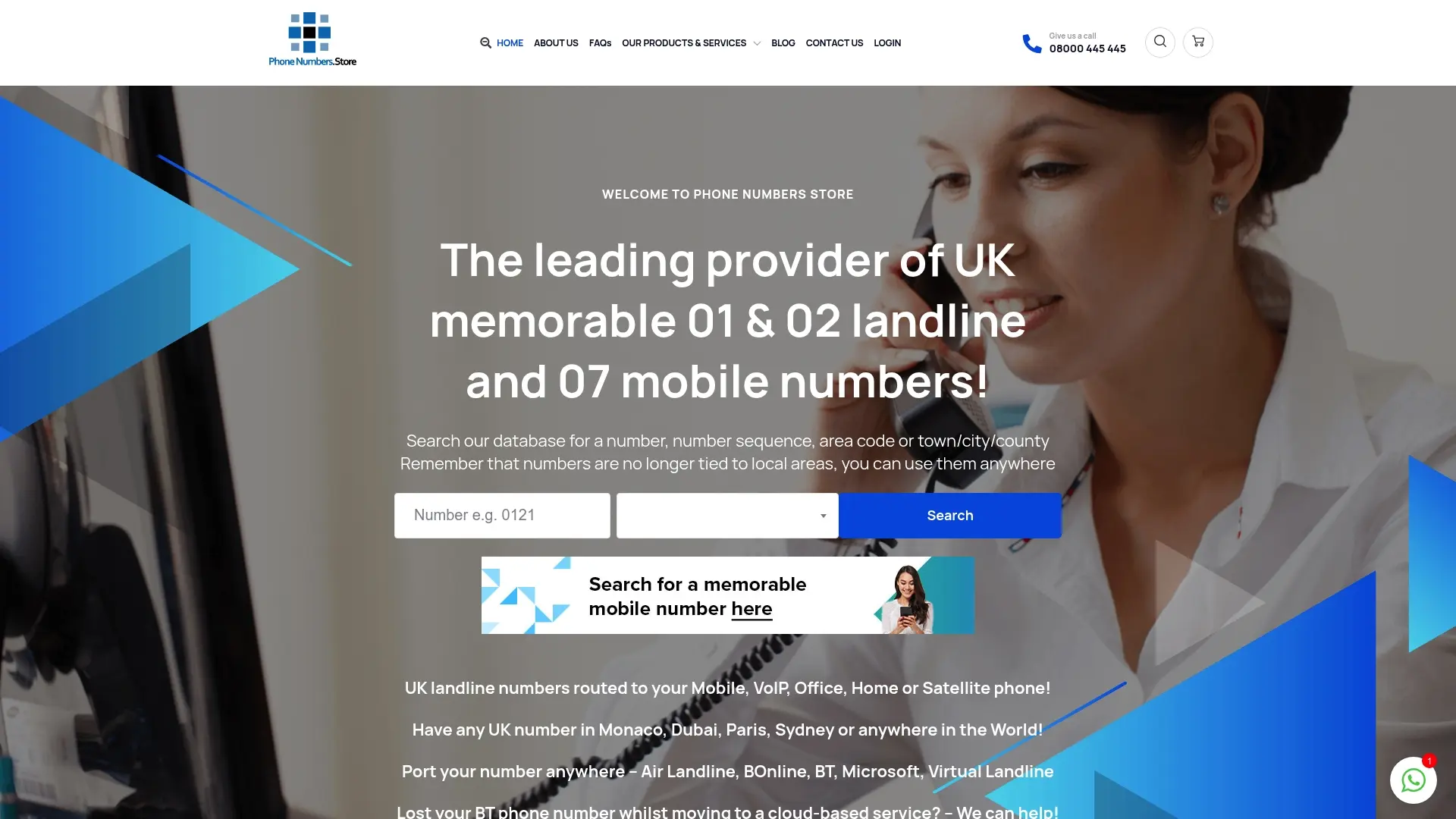
You can search the Phonenumbers database by number sequence, area code, or town to find a number that suits your business or personal use. Because UK numbers are no longer tied to local areas, a Leeds 0113 number works perfectly from London or Edinburgh. Browse memorable UK phone numbers to find a line that keeps your primary number off public-facing platforms, or check available 07 mobile options for a secondary mobile line. Managing multiple numbers on one device has never been more straightforward.
FAQ
What is the fastest way to protect my phone number?
Activate Port-Out Protection with your UK carrier and set a SIM PIN. Both steps take under ten minutes and block the most common attack method, SIM swapping.
Does #31# hide my number when I send a text?
No. The #31# prefix only masks caller ID on voice calls; SMS messages always display your real number to the recipient.
Are VoIP virtual numbers good enough for UK bank verification?
Not reliably. Many platforms block VoIP numbers during verification. A carrier-backed virtual number, such as those offered by Phonenumbers, is the better choice for identity-sensitive services.
How does a virtual number protect my privacy?
A virtual number acts as a public-facing line that shields your real number. If the virtual number is leaked or compromised, you replace it without any impact on your primary number or linked accounts.
Should I still use SMS two-factor authentication?
SMS 2FA is better than no 2FA, but app-based authenticators like Google Authenticator are significantly more secure because they are not vulnerable to SIM swap attacks.
