
TL;DR:
- A well-configured business voicemail enhances customer trust and reflects professionalism.
- Prepare your setup with a dedicated number, clear script, quiet environment, and system access.
- Regularly review and update your voicemail to maintain accuracy and reinforce positive brand image.
A missed call from a potential client rarely gets a second chance. If that caller reaches a generic ringtone, a confusing automated message, or simply nothing, they move on to your competitor within minutes. A well-configured business voicemail is not a backup plan; it is an active part of your customer service. It tells callers you are organised, trustworthy, and worth waiting for. This guide walks you through everything: what you need before you start, a step-by-step setup process for different phone systems, how to craft a greeting that builds confidence, and how to keep it all current.
Table of Contents
- What you need before setting up business voicemail
- Step-by-step guide: how to set up voicemail for your business
- Crafting the perfect business voicemail greeting
- Keeping your business voicemail up to date
- Why voicemail is still mission-critical for UK businesses in 2026
- Get the right phone number and voicemail solution for your business
- Frequently asked questions
Key Takeaways
| Point | Details |
|---|---|
| Prepare essentials | Gather the right phone system, business number, and decide on manual or visual voicemail before you start. |
| Follow clear steps | Use a simple step-by-step process to activate voicemail on any business phone setup. |
| Record a professional message | Keep greetings under 30 seconds, covering your name, company, and when you’ll return calls. |
| Keep voicemail up to date | Regularly refresh your voicemail message to match current business hours and staff. |
| Voicemail impacts your image | A clear, helpful voicemail sets your business apart and reassures callers. |
What you need before setting up business voicemail
Before you record a single word, it pays to get your foundations right. Rushing into setup without the proper tools or a clear plan often leads to embarrassing results: a greeting recorded in a noisy room, a confusing message with no return time, or a system that drops calls before the beep. A few minutes of preparation saves a great deal of frustration.
Here is what you need to have ready before you begin:
- A dedicated business phone number. Using a personal mobile for business calls is a common mistake. A new business phone line gives your voicemail a professional home and keeps your personal life separate.
- Your chosen phone system type. Whether you use a traditional landline, a mobile, or a virtual phone system affects which voicemail features you can access.
- A quiet space for recording. Background noise is the fastest way to undermine credibility.
- A written script. Never wing it. Write your greeting out first and read it aloud several times.
- Access to voicemail settings. Know your PIN, carrier codes, or app login details before starting.
The table below shows how different phone systems compare when it comes to voicemail features:
| Phone type | Voicemail option | Ease of setup | Key benefit |
|---|---|---|---|
| Traditional landline | Basic voicemail via provider | Moderate | Reliable, no app needed |
| Business mobile | Visual voicemail via carrier | Easy | Listen, delete, manage on screen |
| Virtual phone system | Cloud-based voicemail to email | Easy | Transcripts delivered to inbox |
| VoIP system | Advanced voicemail with routing | Moderate | Scalable for growing teams |
One upgrade worth considering early is voicemail-to-email. This feature automatically sends audio recordings or text transcripts of messages to your inbox, so you never have to dial in to check for missed calls. It is standard on most virtual and VoIP systems and a genuine time-saver for busy teams.
For businesses wanting a polished result from day one, professional voicemail recording services can produce studio-quality greetings that match your brand voice precisely.
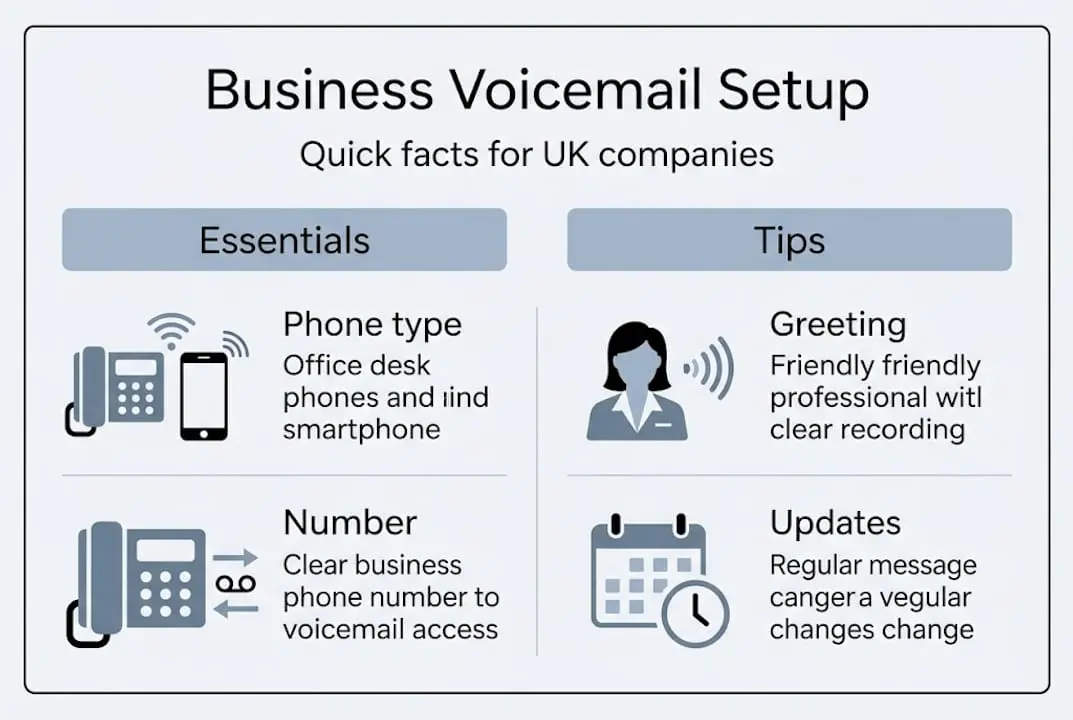
Business best practices suggest your greeting should be under 30 seconds, include a clear identification of your name and company, state when you will return calls, and be recorded in complete silence.
Pro Tip: Record a draft message on your mobile’s voice memo app first. Play it back and listen critically for pace, clarity, and tone before you commit it to your voicemail system. Most people are surprised by how they sound and make useful adjustments at this stage.
Step-by-step guide: how to set up voicemail for your business
With everything ready, follow these steps to get your voicemail configured properly. The process differs slightly depending on your phone type, so choose the path that matches your setup.
- For business mobiles: Dial your carrier’s voicemail number (usually holding down the ‘1’ key), follow the prompts to set a PIN, then record your greeting when instructed. Most UK networks guide you through the process clearly.
- Enable visual voicemail if available: Visual voicemail on iPhones with EE, O2, and Vodafone can be activated using network-specific text codes, giving you a visual inbox to manage messages without dialling in.
- For traditional landlines: Contact your provider and ask them to activate voicemail on your line. You will receive a PIN and a guide to recording your greeting via the handset.
- For virtual or VoIP systems: Log into your online dashboard, navigate to voicemail settings, upload or record your greeting, and configure notification preferences such as email alerts.
- Test thoroughly: Call your own number from a different phone, leave a test message, and confirm the playback quality is acceptable.
Here is a quick comparison of manual versus visual voicemail to help you choose:
| Feature | Manual voicemail | Visual voicemail |
|---|---|---|
| Access method | Dial in and listen | Screen-based inbox |
| Message management | Sequential only | Select and delete freely |
| Transcription | Not available | Available on most carriers |
| Cost | Usually included | May need activation |
| Best suited to | Landlines, basic mobiles | Smartphones, busy teams |
Review the essential business phone tips that complement your voicemail, and if you are starting from scratch, the landline setup steps walk you through the full installation process.
Pro Tip: Before making your greeting live, ask a trusted colleague or friend to call your number and listen to the message as if they were a new client. Fresh ears catch awkward phrasing that you might miss after hearing your own recording ten times.
Crafting the perfect business voicemail greeting
Your system is ready. Now the message itself needs to do real work for your business. A weak greeting costs you clients; a strong one builds instant credibility even before you call back.
Every professional business voicemail greeting should include:
- Your name and business name, stated clearly at the start
- A brief acknowledgement that you have missed the caller
- Your business hours, so callers know when to expect a response
- A realistic return time for your call-back (same day, within 24 hours)
- An alternative contact option if urgency demands it, such as an email address
The ideal greeting length is 20 to 30 seconds: long enough to include the essential details, short enough to hold the caller’s attention. Anything longer risks callers hanging up before leaving a message.
Here are two sample scripts suited to common UK business types:
For a sole trader or small consultancy: “Hello, you’ve reached [Your Name] at [Business Name]. I’m unavailable right now but I’d love to help. Please leave your name, number, and a brief message and I’ll return your call by the end of the next working day. Alternatively, email me at [address]. Thank you for calling.”
For a retail or service business with set hours: “Thank you for calling [Business Name]. Our team is currently unavailable. We’re open Monday to Friday, 9am to 5:30pm. Please leave your details after the tone and we’ll get back to you within one business day. Thank you.”
“The tone of your voicemail greeting is often a caller’s first impression of your business. Warm, clear, and confident is the standard to aim for every time.”
As for delivery, professional recordings from services like Spencer Cork genuinely enhance your brand image, particularly if you deal with corporate clients or handle high call volumes. That said, a carefully rehearsed self-recorded message is perfectly effective for most small businesses, provided the audio quality is clean and the tone is calm and clear.
Pairing your greeting with smart business phone branding ideas can further strengthen the impression you make on first contact.
Keeping your business voicemail up to date
Even the most perfectly recorded greeting becomes a liability if it goes stale. Imagine calling a business in January and hearing a cheerful Christmas message still playing. It signals neglect. Clients notice these details and draw conclusions about how you run your business.

Updating voicemail regularly is particularly important whenever your business hours change, key staff go on leave, or you have a special closure or seasonal adjustment to communicate. Accuracy in your voicemail directly affects caller trust.
Follow this routine to keep your greeting current:
- Set a calendar reminder every three months to review your voicemail message in full.
- Check for accuracy: Are your hours still correct? Has your return time changed? Is the staff member mentioned still relevant?
- Update for seasons or events: Add temporary messages for bank holidays, annual leave, or special promotions.
- Re-record where needed: Do not just tweak one detail. Re-record the full message so it flows naturally without edited patches.
- Test again after every update: Always call your own number from an external phone to confirm the updated message plays correctly.
Key areas to review during each update:
- Business hours, including any seasonal changes
- Staff names or roles mentioned in the greeting
- Email or alternative contact details
- Response time commitments
- Any promotional or service information referenced
If you manage updating business numbers across multiple lines, build voicemail review into the same process so nothing gets overlooked.
Pro Tip: Set a recurring three-month reminder in your calendar labelled “voicemail audit.” It takes less than ten minutes and prevents the kind of embarrassing outdated greeting that quietly damages your reputation with new callers.
Why voicemail is still mission-critical for UK businesses in 2026
There is a widespread assumption in business circles that voicemail is fading out, replaced entirely by email, live chat, and instant messaging. This view is wrong, and we have seen it cost businesses real money.
The reality is that many UK clients, particularly those in older demographics or regulated industries like legal, finance, and healthcare, still reach for the phone when the matter is urgent or sensitive. When they do call and encounter a polished, reassuring voicemail, they feel confident enough to leave a message. When they hear nothing or something amateurish, they feel doubt. That doubt rarely leads to a sale.
We believe the small details of your voicemail, the tone you use, the exact return time you promise, and whether the greeting is current, carry far more weight than most business owners realise. Combined with email and SMS follow-up, a strong voicemail system creates a seamless customer journey that reflects well on your entire brand. The evidence is there in the businesses that invest in business phone numbers and image: they convert more enquiries and retain clients more effectively.
Get the right phone number and voicemail solution for your business
A professional voicemail is only as strong as the number it sits behind. A memorable, location-relevant UK phone number tells clients you are established, credible, and easy to reach before they even dial.
At Phonenumbers.store, we are the UK’s leading provider of memorable 01, 02 landline and 07 mobile numbers. Whether you need a number tied to a specific area code or a sequence that is easy to recall, our database makes it simple to search by area, sequence, or region. A standout number like the memorable business number 0113 255 0000 instantly elevates your brand’s credibility. Ready to give your business communications a professional foundation? Buy a business phone number today and pair it with everything you have learned in this guide.
Frequently asked questions
How long should a professional business voicemail message be?
The ideal business voicemail greeting should be between 20 and 30 seconds. Anything longer risks the caller hanging up before leaving their details, as under 30 seconds is widely accepted as the professional standard.
Can I use a professional voice-over for my voicemail?
Yes, and it can make a significant difference to your brand image. Professional recordings enhance image noticeably, though a clear, well-rehearsed self-recorded message works perfectly well for most small businesses.
How do I activate visual voicemail on my business mobile?
The process depends on your network. For example, visual voicemail on iPhone with EE, O2, and Vodafone can be activated by texting a specific code to your carrier, after which a visual inbox appears directly in your phone’s voicemail app.
How often should I update my business voicemail message?
Update your message any time your hours, key staff, or contact details change. Additionally, update voicemail regularly on a scheduled basis, at least every three months, to ensure everything callers hear remains accurate and current.