
The call forwarding code is a short sequence starting with a star or hash symbol that you dial to redirect calls to another number, and the exact one you need depends on what kind of forward you want. To switch on unconditional forwarding, dial **21*<number># and press call. For calls you miss because you’re busy, dial **67*<number>#. For no answer, use **61*<number>#. For when your phone is switched off or out of signal, dial **62*<number>#. To wipe every forwarding rule at once, dial ##002# and press call.
Replace <number> with the full destination number, including the country code if you’re forwarding somewhere unusual. These are GSM MMI codes, standardised so they work the same way whether you’re on a phone in Leeds or Lagos, and you don’t need an app, a data connection, or a settings menu to use them.
- Unconditional forward (all calls):
**21*<number># - Busy forward:
**67*<number># - No answer forward:
**61*<number># - Unreachable forward (phone off/no signal):
**62*<number># - Cancel everything:
##002#
Before you rely on any of these, do two things: place a test call to make sure it actually lands where you expect, and check with your network whether forwarded minutes are billed differently. Some plans quietly charge for the outgoing leg of a forwarded call, which catches people out more often than you’d think.
Key Takeaways
Call forwarding on GSM networks runs on a small, standardised set of star and hash codes that work across almost every UK carrier and most handsets without needing an app.
| Point | Details |
|---|---|
| Master codes to remember | **21*<number># activates unconditional forwarding, ##002# cancels everything at once. |
| Always test after setting | Place a genuine call straight after activating a forward to confirm it reaches the right destination. |
| Check status regularly | Use *#21#, *#61#, *#67#, and *#62# to spot forwards you didn’t set, especially after a SIM or handset change. |
| Confirm billing before relying on it | PAYG plans and some contracts charge for forwarded calls, so check your provider’s rate first. |
| Save codes as contacts | Storing **21*<number># and ##002# as saved contacts makes toggling forwarding a one-tap job. |
| Business numbers forward the same way | Memorable 01, 02, and 07 numbers from Phonenumbers use the identical MMI codes, with no technical lock-in. |
Table of Contents
- What is the call forwarding code you need? A quick reference table
- How do you set up or cancel call forwarding?
- How do you check what forwarding is active and cancel it?
- Do call forwarding codes differ by network or country?
- How are forwarded calls billed, and what limits should you expect?
- Why does a call forwarding code sometimes fail?
- Why does this matter for business numbers?
- What should you actually prioritise?
- Forwarding a memorable number for your business
- Sources
- FAQ
What is the call forwarding code you need? A quick reference table
Different situations call for different codes, and the pattern is consistent enough that once you’ve used one, the rest make sense. The table below sets out the activation pattern, the code that cancels it, and the code that tells you whether it’s switched on.
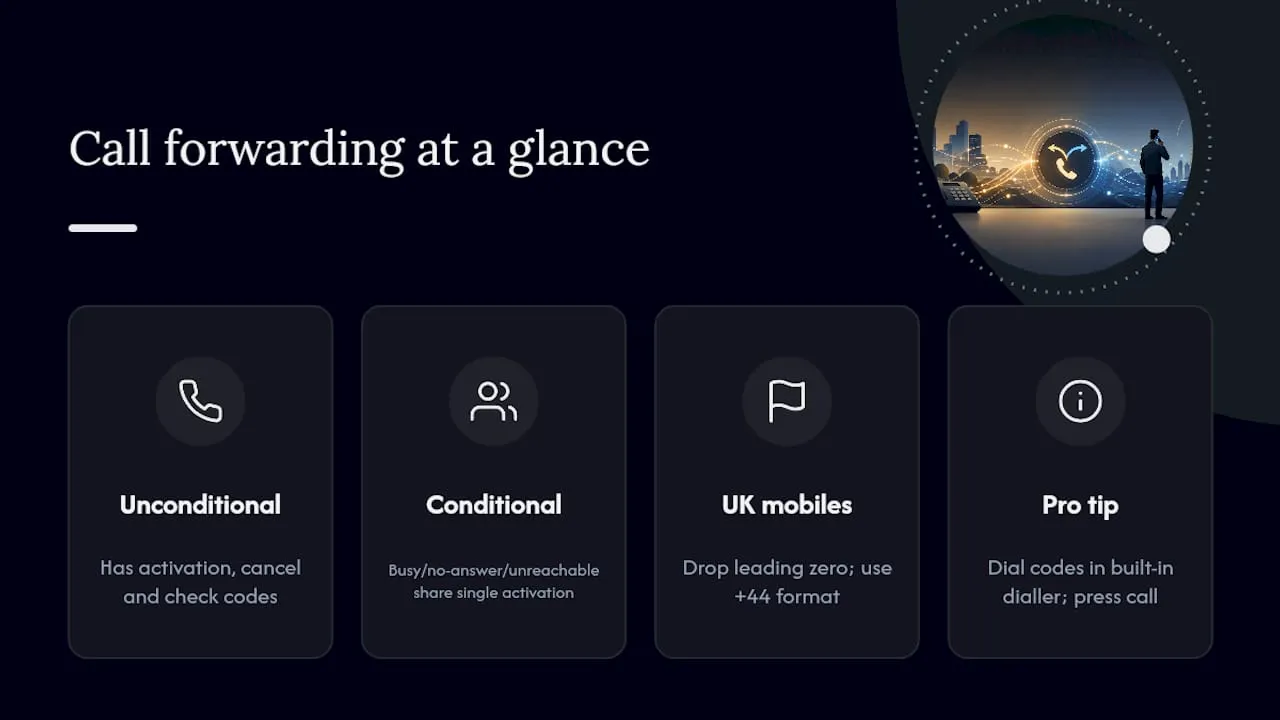
If you’re on a UK mobile and want to forward to a UK landline, drop the leading zero and use the +44 format, so 0113 255 0000 becomes +441132550000. A combined activation code exists for routing busy, no-answer, and unreachable calls to the same destination in one go, which saves you dialling three separate strings if you just want one fallback number for everything.
Pro Tip: If a code doesn’t seem to do anything, don’t assume it’s broken. Open your phone’s built-in dialler app, type the code exactly as written with no spaces, and press the green call button rather than just typing and waiting. Third-party dialler apps sometimes swallow the command before it reaches the network.
How do you set up or cancel call forwarding?
You’ve got three routes into forwarding: the keypad codes, your phone’s native settings menu, or your carrier’s app or online portal. Each suits a different situation.
Using MMI/star codes from the dialler
- Open your phone app (not a third-party or VoIP dialler).
- Type the code for the forward you want, for example
**21*07911123456#. - Press the call button, exactly as you would to dial a number.
- Wait for the on-screen or spoken confirmation from your network.
- Make a test call from another phone to check it’s landed correctly.
This method works on almost any handset, needs no internet connection, and takes about ten seconds once you know the pattern.
Using iOS or Android settings
On an iPhone, go to Settings → Phone → Call Forwarding and toggle it on, then enter the destination number. This covers unconditional forwarding through the menu, but busy, no-answer, and unreachable forwards still need the MMI codes typed into the keypad, since Apple hasn’t built a menu for those.
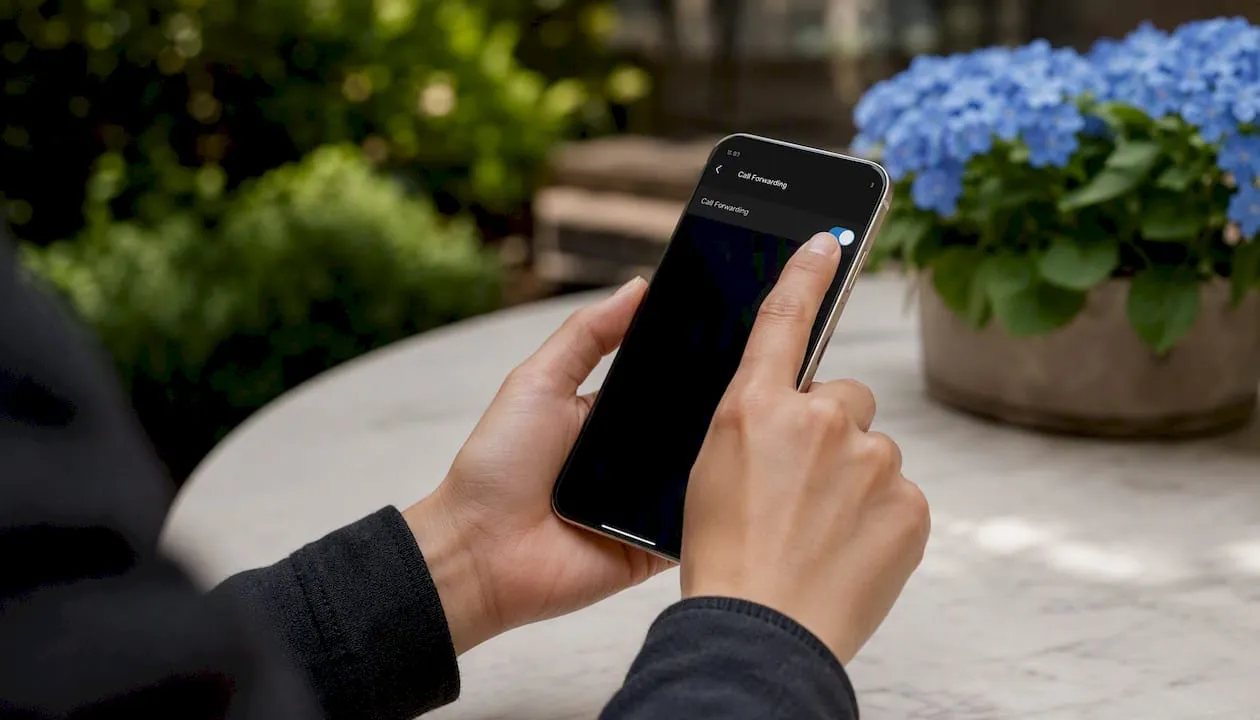
Android is less consistent because manufacturers customise the interface. Generally you’ll find it under Phone app → Settings (three dots) → Calls → Call Forwarding, though Samsung, Google, and other builds shuffle the menu names slightly. If you can’t find it, the star codes will always work regardless of the handset.
Using a carrier app or online portal
Some networks let you manage forwarding through their own app or web account, which is handy if you want to change the destination remotely without picking up the phone at all, for example redirecting calls while abroad before you’ve even landed.

When to use which method: keypad codes win for speed and for anything conditional (busy, no-answer, unreachable). Settings menus suit a one-off unconditional forward you’ll toggle occasionally. Carrier apps make sense when you need to change the destination remotely or you manage several lines for a small team.
Pro Tip: Save your most-used codes as contacts. Name one “Forward to mobile” with the number set to **21*07911123456# and another “Cancel forwarding” set to ##002#. Tapping a saved contact to dial is faster than retyping a string of symbols every time, and it stops you fumbling the format under pressure.
Always test with a genuine call after setting anything up. It’s the only way to catch a wrong destination number or a formatting mistake before it costs you a missed client call.
How do you check what forwarding is active and cancel it?
Run a quick status check before you assume nothing’s forwarded. Dial *#21# for unconditional, *#61# for no answer, *#67# for busy, and *#62# for unreachable. Each one returns a confirmation showing whether the rule is on and, if it is, the destination number it’s pointing to.
*#21#checks unconditional forwarding status.*#61#checks no-answer forwarding status.*#67#checks busy forwarding status.*#62#checks unreachable forwarding status.##21#,##61#,##67#,##62#cancel each one individually.##002#clears every type of forwarding rule in a single command.
If you only remember one code from this entire guide, make it ##002#. It’s the fastest fix if you’ve ever suspected your calls are going somewhere they shouldn’t, and it doesn’t matter how the forward was originally set, whether by you, a carrier app, or somebody with unauthorised access to your account.
It’s worth running the status checks after any SIM swap or new handset. Forwarding rules live on the network switch rather than on the phone itself, so a factory reset or a new SIM card won’t remove one, and it’s a genuine security consideration if you’ve never checked whether an old rule is still quietly active.
Do call forwarding codes differ by network or country?
The GSM MMI codes themselves are a European Telecommunications Standards Institute specification (ETSI TS 122 030), which is why the same string works whether you’re on EE, O2, Vodafone, Three, or most MVNOs riding on their infrastructure. You don’t need a different code for each provider, though a handful of network-specific quirks are worth knowing.
- UK networks: EE, O2, Vodafone, and Three all support the standard MMI codes without alteration. Vodafone specifically recommends entering the destination number in +44 international format rather than the leading zero, to avoid the forward silently failing.
- North America: the US and Canada historically use a different shortcode system entirely,
*72followed by the number to set forwarding and*73to cancel it, rather than the star and hash patterns used across Europe. If you’re setting this up on a North American line, forget the**21*format and check your local carrier’s documentation instead. - Landlines versus mobiles: many UK landline providers use a single-star pattern rather than the double-star mobile format, so setting a forward might look like
*21*<number>#with#21#to cancel, and confirmation often comes as an audible tone rather than an on-screen message. - Roaming: forwarding rules generally still work while you’re travelling, since they’re processed by your home network, but calls forwarded while roaming can rack up extra charges because the leg between the network and your destination number may cross international routing.
If a code you’ve used for years suddenly stops working, the most likely culprit is a network upgrade or a change to that operator’s MMI handling rather than anything wrong on your end. A quick call to your carrier’s support line usually clears it up.
How are forwarded calls billed, and what limits should you expect?
Two billing models are common, and which one applies to you matters more than people realise. On some plans, the forwarded leg of the call counts as an outgoing call from your own number, meaning it eats into your minutes allowance or gets billed at your standard rate. On others, particularly certain contract plans, forwarding is bundled in and costs nothing extra.
Pay-as-you-go lines are where the surprises tend to happen. As one concrete example, giffgaff charges 25p per minute for calls forwarded to a number outside its own network, a rate worth checking against your own bundle before you set up a permanent forward to a landline or a different provider entirely.
- Contract plans often, but not always, absorb forwarding costs within existing minutes.
- PAYG customers should assume there’s a charge until their provider confirms otherwise.
- Some PAYG tariffs restrict forwarding entirely or limit it to voicemail redirection only.
- Forwarding to an international number typically costs more than forwarding domestically, even on plans that don’t charge for UK-to-UK forwards.
- Roaming complicates billing further, since a forwarded call can technically travel across two international legs rather than one.
None of this is guesswork you have to do alone. A two-minute call or a look at your provider’s help pages before you set anything permanent will tell you exactly where you stand, and it’s far cheaper than discovering the rate on your next bill.
Why does a call forwarding code sometimes fail?
Most failures come down to one of four things, and working through them in order usually finds the culprit fast.
- Third-party dialler apps. If you use a VoIP app or a custom dialler as your default, MMI codes can get intercepted before they reach the network. Switch to your phone’s built-in dialler and try again.
- Weak signal or no service. The code has to reach your carrier’s switch to register, so a dead zone or aeroplane mode will silently block it.
- Wrong number format. Missing the country code, or including a leading zero when the network expects +44 format, is a common reason a forward looks set but never actually redirects a call.
- Carrier-side restrictions. Some PAYG tariffs or business accounts have forwarding switched off entirely at the network level, in which case no amount of correct code entry will work.
If you discover a forward you didn’t set, treat it as a security matter, not a curiosity. Here’s the sequence to follow:
- Run the status checks,
*#21#,*#61#,*#67#, and*#62#, to see exactly what’s active and where it’s pointing. - Clear everything immediately with
##002#. - Change your account PIN or password with your carrier, since unauthorised forwarding is sometimes set through a compromised online account rather than physical access to your phone.
- If you’ve recently changed SIM or handset, check again, because forwarding rules sit on the network switch and survive a device change until someone actively cancels them.
- Contact your carrier if the unwanted forward reappears after you’ve cleared it, since that points to an account-level issue rather than a settings mistake.
Pro Tip: Always type codes through your phone’s native dialler, never a messaging or VoIP app pretending to be one. It’s the single most common reason a code appears to do nothing at all.
Why does this matter for business numbers?
For a business, forwarding isn’t a convenience feature, it’s what stops a missed call from becoming a lost customer. A handful of practical patterns come up again and again for firms managing this well.
- Never miss a call: forwarding an office number to a mobile after a set number of rings keeps the phone answered even when nobody’s at the desk.
- Centralise voicemail: routing multiple lines to a single voicemail box makes it far easier to keep on top of messages without checking five different inboxes.
- Ring groups: forwarding to a group of staff lines in sequence, or all at once, means the first available person picks up, rather than one person’s absence stalling every call.
- Service continuity during a move: temporarily forwarding an old number to a new one during an office relocation means customers using the old contact details still get through without knowing anything changed.
These patterns matter as much for a solo trader forwarding to a mobile as for a team routing to a receptionist line, a VoIP system, or a remote worker’s personal number. The mechanics are identical to the personal codes covered earlier, just applied with a bit more planning around who answers what and when.
Pro Tip: If you’re running a memorable number for marketing, pair it with the simplest forwarding rule you can manage reliably. A number that’s easy to remember but forwards inconsistently, or drops calls during a handset upgrade, does more damage to customer trust than having no memorable number at all.
What should you actually prioritise?
Most people reading this don’t need to memorise every code, they need three things done in the right order. First, check your current status with *#21# and the related codes, because you might already have an old forward running that you’ve forgotten about. Second, set the one forward you actually need, whether that’s an unconditional divert to a mobile or a conditional one for missed calls, using the exact pattern for that situation rather than guessing. Third, test it with a real call before you trust it with anything important.
Everything else in this guide, the network differences, the billing quirks, the troubleshooting steps, only matters once those three basics are sorted. The GSM MMI standard has been stable for decades precisely because it’s simple: a handful of star and hash sequences that work the same way on almost any phone, on almost any network, without needing an app or a login. If something doesn’t behave as expected, the fault is almost always in the number format or the dialler you’re using, not the code itself.
Forwarding a memorable number for your business
If you’re setting up forwarding for a business line rather than a personal mobile, the number you’re forwarding from matters just as much as the code you use. Phonenumbers specialises in memorable UK landline numbers (01 and 02) and mobile numbers (07) that customers actually remember and dial back, and every one of them forwards using exactly the codes covered in this guide, no special setup or technical lock-in required.
That means you can buy or rent a number like 0115 928 8888 or 0113 255 0000, point it at your mobile or office line with a standard MMI code, and change that destination whenever your setup changes, whether you’re moving office, adding a team member, or switching to a VoIP system. Numbers on the Phonenumbers database aren’t tied to a physical area anymore either, so a Leeds-looking number can forward to a mobile anywhere. Browse the full database of available numbers to find one that fits your business before you set up your next forwarding rule.
Sources
A handful of sources go into more depth than this guide has room for, particularly if you’re troubleshooting a specific network or want the full codes table for reference.
- Call Forwarding costs (network examples)
- Call divert codes — sometimes called star codes or USSD codes
- How to forward or divert calls on any UK phone
Your own carrier’s help pages will always take precedence over general guidance like this if there’s a conflict, since account-specific restrictions and regional rollouts can change what’s available on your particular line.
FAQ
What happens if call forwarding is switched on?
Every call to your number redirects to whichever destination you set, and depending on the type you chose, it might redirect all calls, only missed ones, or only calls when you’re busy or unreachable.
How do you activate a call forwarding code?
Open your phone’s native dialler, type the code for the forward you want, for example **21*<number># for unconditional forwarding, and press call to send it to the network.
How do you know if someone is forwarding your calls?
Dial the relevant status code, *#21# for unconditional, *#61# for no answer, *#67# for busy, or *#62# for unreachable, and the network will confirm whether a forward is active and show the destination number.
Can a call be diverted to another number?
Yes, using the standard GSM MMI codes you can divert calls to any valid number, including mobiles, landlines, or international numbers formatted with the correct country code, such as a memorable number bought or rented through Phonenumbers.
Do I need an app to forward calls?
No, the star and hash codes work directly through your phone’s built-in dialler without any app or internet connection, though some carriers also offer an app or portal as an alternative method.
