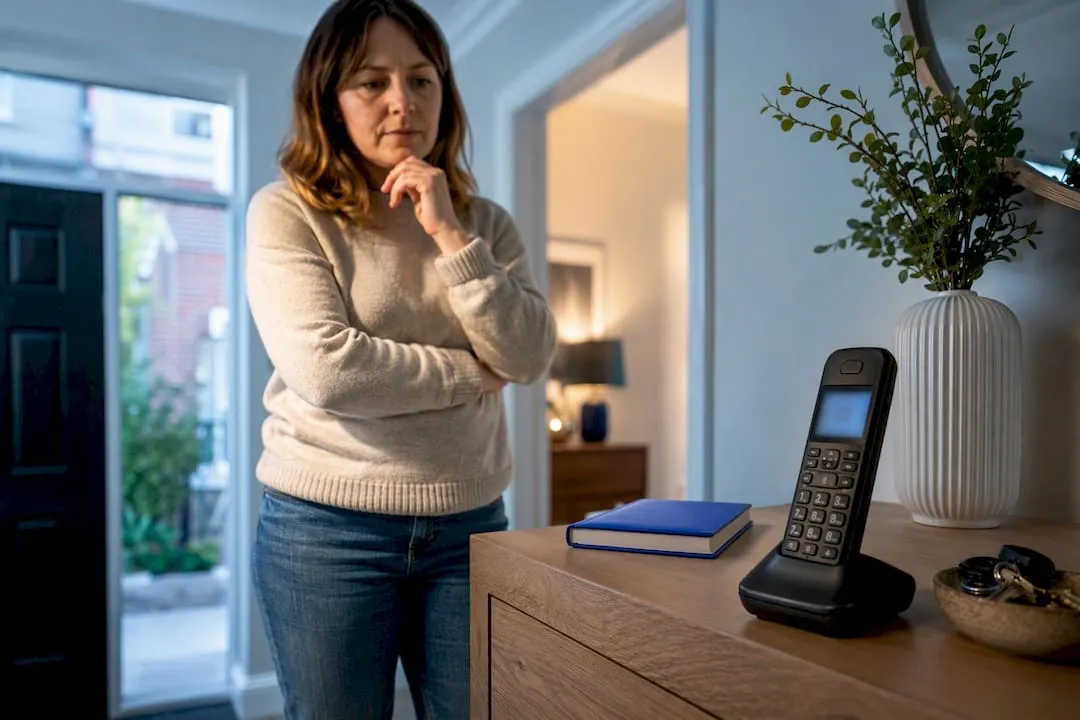
No, not by yourself, and not with an app. When a caller withholds their number, the digits are stripped out before the call reaches your phone, so nothing on your handset ever sees them. Only your network provider or the police can trace that call, and usually only in specific circumstances, such as a formal malicious-call investigation. Everything else, from voicemail checks to 1471, is about managing the situation, not unmasking the caller.
TL;DR:
- Consumer apps cannot unmask private or withheld numbers because the caller’s digits are removed at the network level before reaching your phone.
- Only your telecom provider or law enforcement can trace withheld calls, typically during formal investigations or with legal request, not through quick app-based methods.
- When a caller withholds their number, your phone displays “private” or “no caller ID,” but the network still retains the true caller number for billing and security purposes.
- Immediate actions after suspicious calls include checking voicemail, noting timestamps, and avoiding callbacks to unverified numbers, as these can be used for scams.
- Most reverse lookup services are only effective if the caller’s number becomes visible; they cannot reveal or unmask a withheld caller while the digits are absent.
Table of Contents
- How to find out what private number is calling you: the technical reality
- What is CLI and why does the network still know the number?
- What should you do right after a private or no caller-ID call?
- Do caller ID apps and unmasking tools actually work?
- How do you block or screen private and unknown calls?
- Can your provider or the police trace a withheld number?
- How do you spot a scam call and protect yourself?
- Where can you find official guidance, and what if the number becomes visible?
- When should you actually escalate a withheld call?
- Sources
- FAQ
How to find out what private number is calling you: the technical reality
The honest answer to how to find out what private number is calling you is that you generally cannot, and understanding why saves a lot of wasted effort chasing apps and tricks that were never going to work.
When someone withholds their number, the restriction happens at the network level before the call is presented to your handset. Your phone displays “private number,” “no caller ID,” or “withheld” simply because that field arrives empty or flagged. No app installed on your device can retrieve information that was never sent to it. This is why every claim that a downloadable tool can “unmask” a withheld caller deserves suspicion. Consumer-facing explainers are blunt about this: a phone app or website cannot legitimately reveal a deliberately withheld number, because the handset never receives those digits in the first place, as Use The Geeks explains.
It helps to separate three things that look identical on your screen but mean very different things:
- Withheld — the caller has deliberately chosen to hide their number, usually by dialling a prefix or setting it permanently on their line.
- Unavailable — the number could not be delivered because of a network fault, an old exchange, or an international routing issue, with no deliberate concealment involved.
- Spoofed — the displayed number has been faked to impersonate someone else entirely, often used in scam calls pretending to be a bank or government body.
There are narrow exceptions where a number can be traced. Providers can access withheld numbers internally during a malicious-call investigation, and police can compel disclosure with the right legal grounds. Both routes involve a formal request, not a quick app download.
What is CLI and why does the network still know the number?
Calling Line Identification, or CLI, is the technical system that carries a caller’s number alongside the call itself. It has two parts that matter here: the Network Number, which is the true number the network uses for routing and billing, and the Presentation Number, which is what actually gets shown (or hidden) on the receiving handset. When you withhold your number, you are only switching off the Presentation Number. The Network Number keeps travelling with the call regardless.
Ofcom, the UK’s telecoms regulator, sets out that CLI data carries a privacy marking and that providers must let customers withhold their number while still supplying CLI facilities correctly across the network, as detailed in its guidance on Calling Line Identification. That privacy marking is respected right up to the point of display on your phone. Behind the scenes, it’s a different story:
- The call still passes through your provider’s exchange, which logs the originating number for billing and network management.
- That log exists whether or not the caller chose to withhold presentation.
- Ofcom’s rules also require providers, where technically feasible, to identify and block calls carrying invalid or spoofed CLI, tightening the accuracy of what does get shown, as confirmed in its statement on improving CLI accuracy.
That gap between what you see and what the network stores is exactly why a provider trace can succeed where a consumer app never could.
What should you do right after a private or no caller-ID call?
The first few minutes after a suspicious withheld call matter more than most people realise, mostly because evidence and instinct both fade fast.
- Check your voicemail immediately. Many private callers leave a message without realising you’ll hear their voice, tone, or background noise, even if their number stays hidden.
- Look at your recent calls list. Your handset often timestamps the entry even when it can’t show a number, which is useful if you need to cross-reference later.
- On a landline, try 1471. In the UK, this plays back the last incoming call, but it will not reveal a number the caller has deliberately withheld, as WhoCalledLookup notes.
- Take a screenshot with the timestamp visible. This becomes useful evidence if you later report the call to your provider or the police.
- Never call back a number given to you by a suspicious message. If someone claims to be your bank, hang up and ring the number printed on your card or statement instead.
Pro Tip: Keep a simple running note of date, time, and what was said on any suspicious call, even if nothing seems urgent at the time. Providers and police both ask for a pattern, not a single incident, before they’ll open an investigation.
Preserving voicemail messages matters too. Don’t delete anything until you’re confident the call was harmless, since a voicemail with background noise or a spoken name can end up being the only real lead you get, as consumer guidance on handling hidden calls points out from Connection Technologies.
Do caller ID apps and unmasking tools actually work?
Mostly, no, and it’s worth understanding why before you hand over a subscription fee.
Short codes like 141 in the UK, or *67 and *69 in some other countries, control whether you withhold or reveal your own number on outgoing calls. They do nothing for a call someone else has already withheld when calling you, and the exact codes and behaviours differ by country and carrier, so what works on a UK landline won’t necessarily apply on a US mobile network, per Use The Geeks.
Apps that promise to “reveal any hidden number” are making a claim that’s technically impossible for the reason already covered: the digits simply never reach your device. Industry commentary is direct about this, warning that any third-party app claiming to unmask private numbers is either misleading marketing or an outright scam, because only providers or law enforcement can access the full network records, according to Connection Technologies.
Where apps and lookup sites genuinely help is once a number is visible. If you’ve got digits, whether from a missed-call notification or a text, a reverse-lookup tool can tell you who a legitimate registered number belongs to. Sites geared towards this are only useful once you have a number to check; they cannot pull one out of thin air for a withheld call, as Avast points out.
- Withheld caller with no visible digits: no lookup tool can help.
- Missed call with a visible number: a reputable lookup service can identify the likely owner or business.
- Text message with a callback number: verify it independently before trusting it, regardless of what a lookup site says.
How do you block or screen private and unknown calls?
You’ve got real, working options here, even without unmasking anyone. Both iOS and Android let you silence calls from numbers not in your contacts, which sends unknown and withheld callers straight to voicemail without ringing your phone at all. Android’s built-in call screening and various carrier apps go a step further, filtering likely spam before it even reaches that stage.
- iOS: enable “Silence Unknown Callers” in Phone settings to send anything not in your contacts, including withheld numbers, directly to voicemail.
- Android: use built-in call screening or a carrier-provided spam filter, which can flag or block calls with no caller ID automatically.
- Third-party spam apps: these work well for identifying known scam and robocall numbers, but they offer no advantage over built-in tools for genuinely withheld calls, since there’s still no number to check against a database.
- Network-level features: ask your provider about anonymous-call rejection, a service that blocks any incoming call with withheld presentation before it even rings.
Pro Tip: Test anonymous-call rejection for a week before relying on it fully. Hospitals, some GP surgeries, and certain callback services withhold their numbers for legitimate reasons, so blanket blocking can cut off calls you actually wanted.
The trade-off is unavoidable: any setting aggressive enough to stop nuisance calls will also catch legitimate withheld callers occasionally. Keep voicemail switched on regardless of which filtering you choose, so nothing important simply vanishes. For a deeper look at handset-level privacy settings and what you can control on your own line, this UK guide to number privacy walks through the options in more detail.
Can your provider or the police trace a withheld number?
Yes, in the right circumstances, though it’s a formal process rather than a quick fix. Your provider’s exchange logs the true Network Number on every call passing through it, including ones where the caller chose to withhold presentation. Those logs sit in provider and law-enforcement systems, not on your handset, which is exactly why a consumer app can never reach them but a provider investigation can, as WhoCalledLookup explains.
Contacting your provider. Most UK carriers offer a malicious-call trace service, sometimes called MCI (Malicious Call Identification). To request one:
- Report the calls as soon as possible after they happen, ideally the same day.
- Give exact dates, times, and how many calls you’ve received, since providers generally look for a pattern rather than a single incident.
- Ask specifically for a malicious-call trace, not just a general complaint, as the process and the team handling it differ.
- Expect the provider to monitor your line going forward rather than reveal historic caller data instantly; results can take days to weeks depending on call volume and severity.
Going to the police. If calls include explicit threats, harassment, or anything that feels like a genuine safety risk, contact the police directly rather than waiting for a provider trace to finish. Police can compel telecoms records through legal channels that go beyond what your provider will share with you directly, and they’ll want the same evidence you should already be collecting: dates, times, voicemail recordings, and screenshots.
Ofcom has also tightened requirements on providers to block calls arriving from abroad that impersonate UK landline numbers, a direct response to how often spoofing is used to bypass exactly this kind of trace, according to its 2025 blocking requirements statement. That’s cold comfort if you’re being harassed today, but it does mean fewer spoofed calls reaching UK numbers in the first place.
How do you spot a scam call and protect yourself?
Private and withheld numbers are a favourite disguise for scam callers precisely because they’re hard to trace, so recognising the script matters more than chasing the number.
Classic red flags include urgent demands for payment, requests for one-time verification codes, threats about arrest or account suspension, and unsolicited “prize” or refund offers. Genuine banks and government agencies will never ask for a full password or a text-message code over the phone.
- Hang up and call the organisation back using the number on your card, statement, or their official website, never a number the caller gives you.
- Never share one-time codes, full card numbers, or passwords with an unsolicited caller under any circumstances.
- Preserve voicemail, screenshots, and call logs as evidence before reporting, exactly as recommended for provider traces, per Connection Technologies.
- Report scam or harassing calls to your provider, and to Action Fraud if money or personal data was involved.
- If you’re in immediate danger or facing explicit threats, contact the police rather than relying on provider reporting alone.
Where can you find official guidance, and what if the number becomes visible?
Ofcom remains the primary authority on CLI, withholding rules, and provider obligations in the UK, and its published guidance is worth bookmarking if nuisance calls become a recurring problem:
- Ofcom’s guidance on Calling Line Identification covers your rights around withholding and provider responsibilities.
- Ofcom’s statement on blocking spoofed calls from abroad explains newer network-level defences against impersonation.
Once a number does become visible, whether through a missed call, a text, or after a provider trace, Phonenumbers’ own tools can help you check what that number actually is: search by number, sequence, area code, or region to see allocation details rather than guessing. The same principle applies if you’re setting up your own line to avoid being mistaken for a scam caller yourself: a recognisable, properly registered number is one of the simplest ways to make sure the calls you make don’t end up screened out by someone else’s spam filter.
When should you actually escalate a withheld call?
Most withheld calls are boring: a doctor’s surgery, a recruiter, a company that hides its outbound line on principle. Don’t burn energy chasing those. My rule of thumb is simple: escalate when calls become frequent (three or more in a short window), when a message includes an explicit threat, or when anyone asks for money, codes, or personal details. Everything else just needs a good call-screening setup and an active voicemail. Privacy and safety aren’t opposites here, they’re the same setting done properly.
— Rob
Sources
- Guidance on the provision of Calling Line Identification facilities and other related services
- Does 141 still work? How to withhold your number (Use The Geeks)
- Withheld number UK — block, trace and 1471 / 1572 | WhoCalledLookup
- New blocking requirements to protect consumers from scam calls from abroad
FAQ
Can you find out a private number that calls you?
Not directly. The number is withheld at the network level before it reaches your phone, so no consumer method can display it; only your provider or the police can trace it in specific circumstances.
How can I reveal a private caller’s number?
You generally can’t reveal it yourself. Providers can run a malicious-call trace using network logs, and police can compel disclosure with proper legal grounds, but neither route works through an app.
How can I unmask a private number?
Apps and websites claiming to unmask withheld numbers cannot access data that was never sent to your handset, and most such claims are misleading marketing or scams. Report persistent calls to your provider instead.
How do I check the number of a private call?
Check your voicemail and recent-calls list first, since these sometimes hold useful clues even without a visible number. On a UK landline, 1471 plays back your last caller but won’t reveal one that’s been deliberately withheld.
