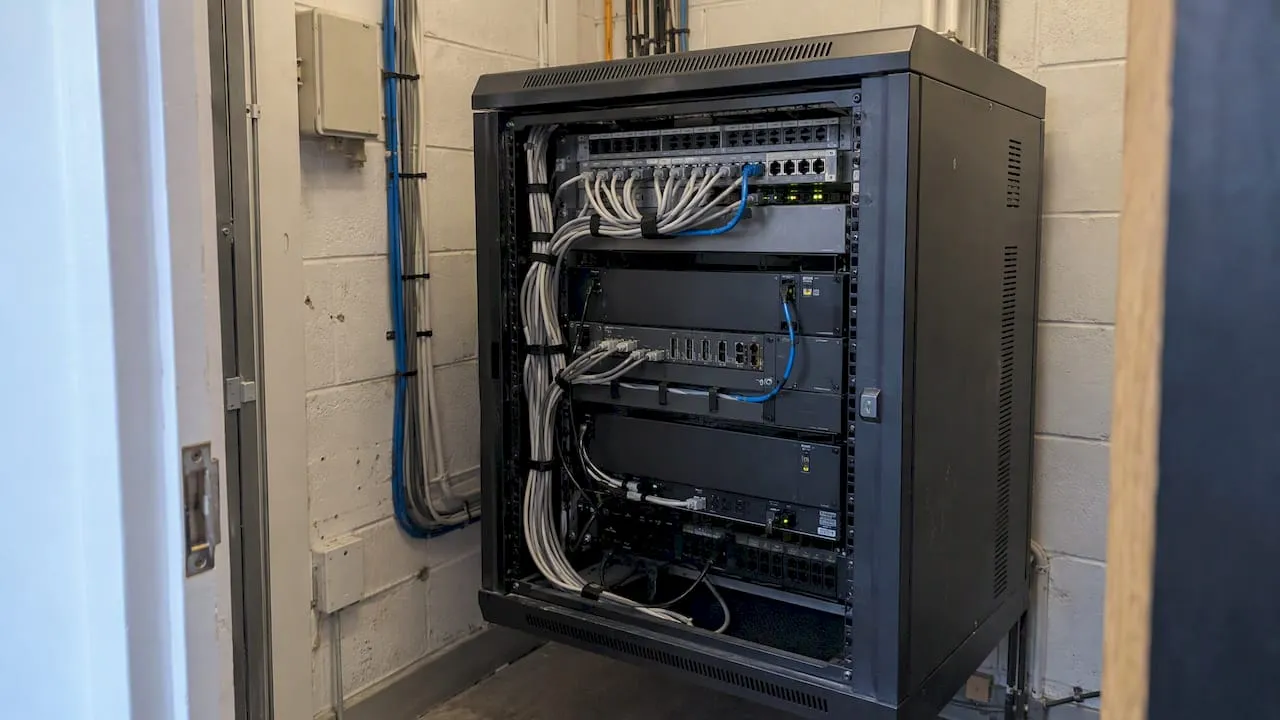
A PBX (private branch exchange) phone system is your business’s own small telephone exchange. It connects your staff’s phones to each other, shares a handful of outside lines between many people, and decides where each incoming call goes. A modern PBX no longer needs a cabinet in a cupboard: most are now hosted in the cloud and run over your internet connection, and that matters because the UK’s old landline network is being switched off.
This guide explains what a PBX is in plain terms, how the main types differ, what they cost to run, and how to choose one if you run a taxi firm, a plumbing business or any small team that lives on the phone.
TL;DR
- A PBX is a private phone system that routes calls inside your business and between your business and the public network. “PBX line”, “PBX phone” and “PBX telephone system” all describe parts of the same thing.
- VoIP is the technology that carries calls over the internet. A PBX is the system that manages them: extensions, transfers, hunt groups and out-of-hours rules.
- The UK’s traditional landline network, the PSTN, is being switched off by the telecoms industry by January 2027, so old on-site PBX systems tied to ISDN or analogue lines need replacing or reconnecting.
- Your phone number does not have to move with your phone system. You can keep a memorable 01, 02 or 07 number and point it at whichever PBX you choose.
Table of Contents
- What a PBX actually does
- PBX, PBX line, PBX phone: clearing up the terms
- The main types of PBX
- PBX versus VoIP: not either/or
- Why the 2027 switch-off matters
- What a PBX does for a taxi firm
- What a PBX does for a plumber
- What does a hosted PBX cost?
- A checklist for choosing a PBX
- Our view: the number comes first
- Keeping your number and picking the system that suits you
- Common mistakes when moving to a PBX
- FAQ
- Sources
What a PBX actually does
Think of a switchboard. In the past, a receptionist plugged cables into sockets to put callers through to the right desk. A PBX automates that job.
The word “private” matters. A public exchange belongs to a telephone company and serves a whole town. A private branch exchange belongs to (or is rented by) one organisation and serves only its people.
In practice a PBX does four things:
- Connects internal calls. Staff dial a short extension (say 201) to reach a colleague, free of charge, without going out to the public network.
- Shares outside lines. Ten people do not need ten separate phone lines. A PBX hands out a smaller number of simultaneous external calls as people need them.
- Routes incoming calls. It can greet callers with a menu, ring several phones at once, pass the call down a list, or send it to voicemail.
- Applies rules. Opening hours, holiday messages, call recording, forwarding to a mobile and call queues are all PBX settings.
The Ofcom research on small business communications describes VoIP as the technology that sends voice as data packets over IP rather than through traditional circuit-based phone lines. That is the engine. The PBX is the traffic controller sitting on top of it.
PBX, PBX line, PBX phone: clearing up the terms
People search for several versions of the same question, so here is what each one means.
- PBX system or PBX telephone system: the whole arrangement, including the call-handling software or hardware, the lines, and the handsets.
- PBX line: an external connection that lets the PBX place and receive calls on the public network. Historically that meant an ISDN or analogue line. Today it is more often a SIP channel, a virtual line delivered over the internet.
- PBX phone: a handset that is registered to a PBX. It might be a desk phone, a cordless handset or an app on a smartphone. The handset itself is not the clever part; the system behind it is.
- EPBX: you will see this in telecom articles. It stands for electronic PBX, an older term for digital systems that replaced manual switchboards. In everyday UK business use you can read it as “a PBX”.
The main types of PBX
On-site (traditional) PBX
A box of hardware lives in your premises and connects to ISDN or analogue lines from a provider. It gives you full control, but you pay up front, you rely on an engineer for changes, and everything depends on those copper-based lines.
IP PBX
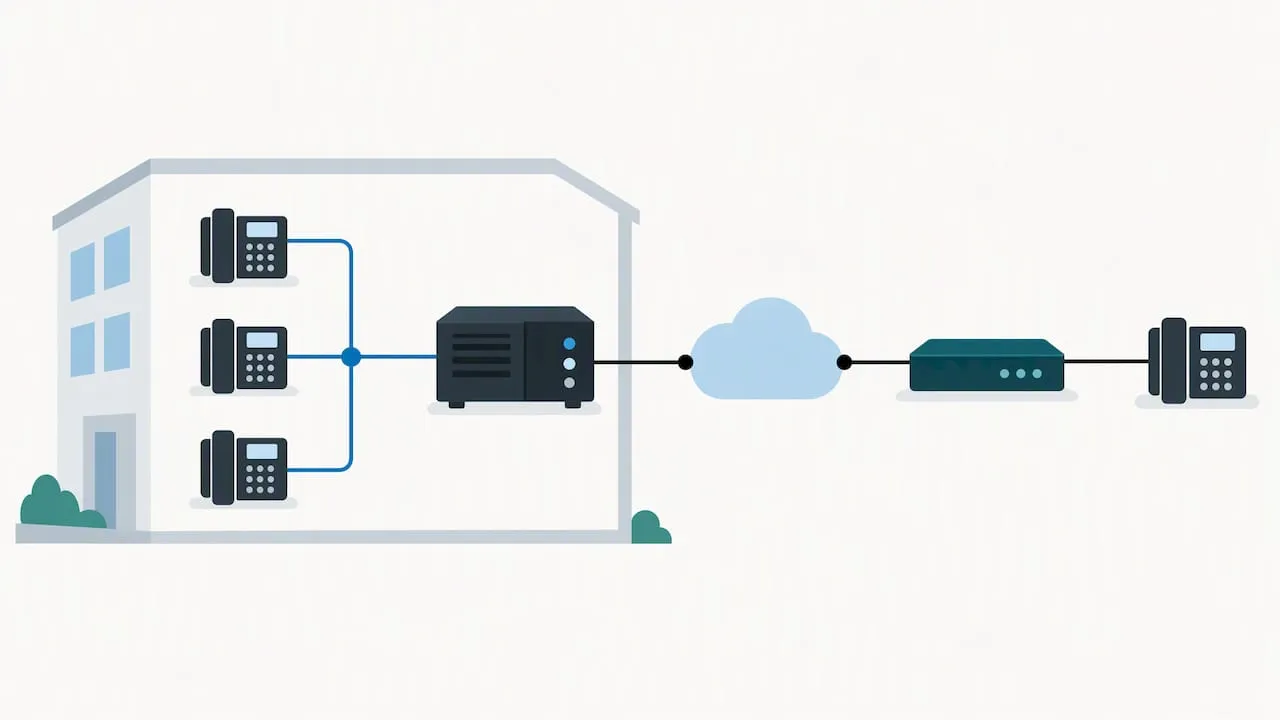
The same idea, but calls inside the building run over your network, and external calls travel over the internet through a SIP trunk. A SIP trunk is a virtual bundle of phone lines delivered over a data connection. You still own and maintain the box, which suits larger sites that already have IT support.
Hosted PBX (cloud PBX)
Your provider runs the PBX in their data centres. You get handsets, apps or both, and you configure everything through a web portal. There is nothing to install beyond the phones. For most small firms this is the sensible default, and it is what the industry usually means by “hosted voice” or “cloud telephony”.
One distinction trips people up: hosted PBX and SIP trunking are different products. A hosted PBX is fully managed in the cloud and suits most small businesses. SIP trunking is usually bought by larger organisations that keep their own IP PBX hardware but need a digital link to the outside world, a split also reflected in Openreach’s submission to Ofcom on ISDN replacement.
| On-site PBX | IP PBX with SIP trunk | Hosted PBX | |
|---|---|---|---|
| Where the system lives | Your premises | Your premises | Provider’s cloud |
| Connection | ISDN or analogue | Internet (SIP) | Internet |
| Up-front cost | High | Medium to high | Low |
| Who maintains it | You or an engineer | You or your IT supplier | Provider |
| Works after the PSTN switch-off | Only with adaptation | Yes | Yes |
| Best for | Legacy sites | Larger sites with IT staff | Small and medium firms |
PBX versus VoIP: not either/or
The question “what is the difference between VoIP and PBX?” comes up constantly, and the short answer is that they sit at different levels.
- VoIP is how the voice travels: as data over an internet connection.
- PBX is what manages the call: who rings, in what order, what happens if nobody answers.
A hosted PBX uses VoIP. An old on-site PBX can be upgraded to use VoIP through a SIP trunk. You can also use VoIP without a real PBX, for example a single phone app on one mobile, but then you lose shared lines, extensions and group ringing. If you have more than one person answering calls, you want PBX features.
Why the 2027 switch-off matters
The copper-based Public Switched Telephone Network is being retired. GOV.UK says the telecoms industry is switching off the PSTN by January 2027, and that landlines and other devices relying on it need upgrading. The official guidance on the analogue to digital landline transition says communications providers are replacing the technology behind fixed telephone networks and that migration is phased, so you should talk to your provider early rather than wait for a notice.
For a business with an older PBX, three things follow:
- ISDN-based systems are on borrowed time. If your PBX connects through ISDN2 or ISDN30 channels, it needs either a SIP trunk or a replacement.
- Everything else on the line needs checking. Card payment terminals, alarm signalling, door entry and fax machines have often relied on phone lines. Some may stop working or need an adapter on a digital line, so audit them before you switch.
- Power cuts behave differently. A digital service runs through your router and needs power, so ask your provider how you will keep taking calls during an outage. A mobile fallback is the usual answer.
Trade press reporting in 2026 put the exact date at 31 January 2027 and said Openreach had around 1.5 million lines still to migrate in July 2026, including roughly 350,000 business premises. Treat that as industry reporting and confirm timings with your own provider, because migration is phased by area.
What a PBX does for a taxi firm
A taxi office lives or dies by how many calls it answers. The PBX features that earn their keep:
- Hunt groups and queues. An incoming booking call rings every free dispatcher, or runs through them in order, rather than going engaged because one person is on the phone.
- Auto-attendant. “Press 1 for a booking, 2 for an existing journey” keeps simple queries away from busy dispatchers.
- Overflow to mobile. When the office is full, calls roll over to drivers’ phones or a second base.
- Call logs. You can see how many calls came in at 5 pm on a Friday and how many went unanswered, which tells you if you need another dispatcher.
A memorable number multiplies the effect. A number that customers can recall and say aloud ends up in their phones and in their heads, and every missed call is a fare for a competitor.
What a PBX does for a plumber
A plumber on a job cannot answer a phone with wet hands under a sink. Even a one-person business gets value from PBX-style rules:
- Time-of-day routing. Calls ring your mobile during the day, then switch to a partner, an answering service or voicemail after hours.
- Greeting messages. A professional greeting with an emergency instruction sounds like a real firm, not a lone mobile.
- Local presence in several areas. Geographic numbers are no longer tied to a physical exchange, as the BT-independent guidance on moving to digital implies when it describes services delivered over broadband rather than a wire into the wall. You can hold a number for each town you cover and send all of them to one phone or system.
- Call forwarding. Our guide to call forwarding set up for small businesses walks through the +44 mistake that catches people out.
What does a hosted PBX cost?
Prices vary by provider, features and number of users, so ignore any single figure as universal. Typical hosted VoIP pricing in the UK is quoted per user per month, with tiers for features such as hunt groups and auto-attendants. Add up four lines when you compare quotes:
- Monthly cost per user or per line.
- Handset costs, or whether you use apps on phones you already own.
- Call charges, or bundled minutes, and what is included for calls to mobiles.
- Set-up, porting and early termination charges.
Our own piece on why 24-month cost beats cheap upfront fees explains why the cheapest headline price is often not the cheapest contract.
A checklist for choosing a PBX
- Count who answers calls. One person with a mobile needs forwarding and voicemail. Three or more answering people need hunt groups and extensions.
- List your connected devices. Card terminals, alarms and any lines that currently rely on copper.
- Check your broadband. Calls need a stable connection. Ask whether your provider recommends separating voice traffic or having a backup route.
- Decide where your number lives. Keep it separate from the phone system so you can change provider without reprinting your vans and cards.
- Ask about porting. Find out how long moving a number takes and what happens on the day. Our guides to what you need to transfer a number and why ports sometimes run late cover this.
- Plan for mobiles. Most small firms answer on a mobile at least some of the time, so check the app or SIM route works well with your numbers.
Our view: the number comes first
Most articles on this subject treat the phone system as the decision and the number as an afterthought. We see it the other way round.
We sell memorable UK numbers: 01 and 02 landline, 07 mobile, plus 03 and 08 non-geographic and alphanumeric options. The thing that customers will remember, write on a van, and ring again in a year is the number. The PBX behind it is a plumbing choice you can change.
That is why we keep the two separate. A number you own or rent from us can be forwarded, used with a SIM or connected to a business telephony system, and it is portable across providers. So when the PSTN goes and your old PBX stops working, your customers do not notice anything, because the number they dial stays the same. Only the destination behind it changes.
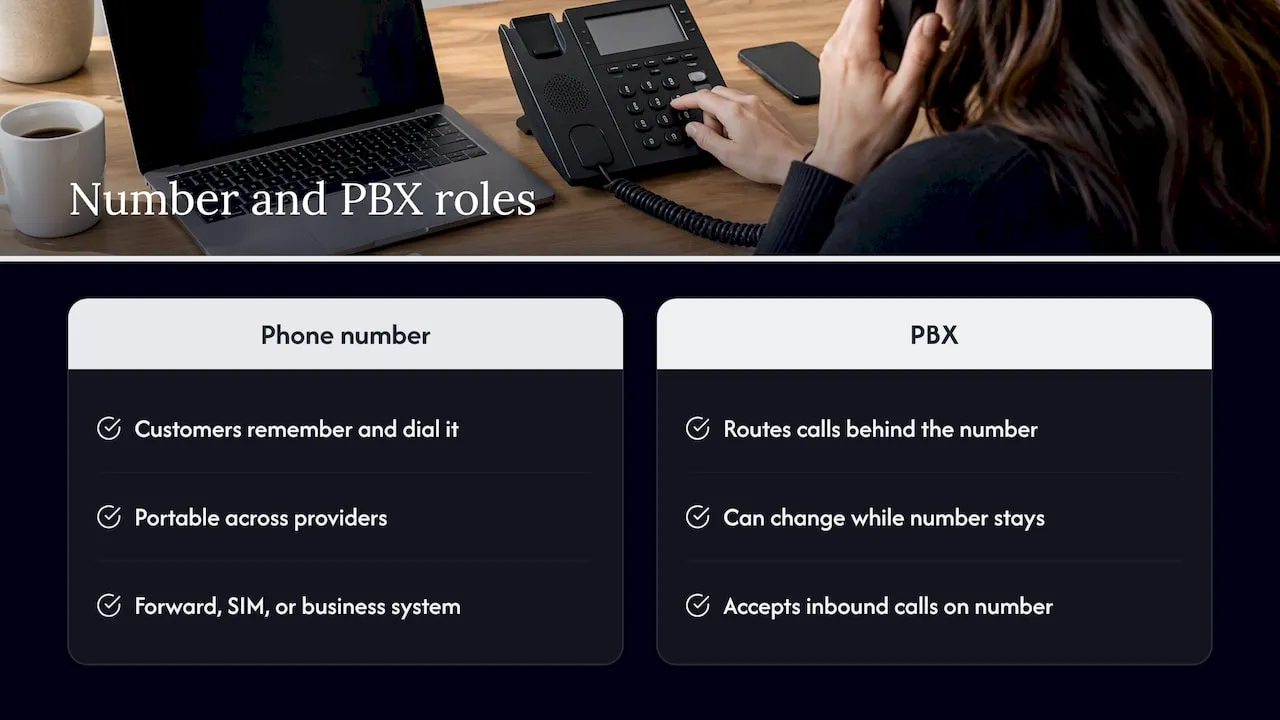
The second thing we would say is that numbers are no longer tied to local areas. A Leeds firm can hold a Manchester number, and a plumber covering three towns can show three local codes. That is a marketing advantage, and it works with any PBX that accepts inbound calls on your number.
If you take one thing from this guide: choose the number first, then choose a phone system that does not trap it.
— Rob
Keeping your number and picking the system that suits you
We offer a few ways to put a number to work, with the prices published on our site:
- XL Premier Service: 9.60 GBP per month, with a 14.40 GBP one-off set-up.
- XL Hosted Voice Service with a VoIP phone (XLHV): 7.86 GBP per month, with a 30 GBP one-off set-up charge.
- XL-IP: 8 GBP per month, with 99 GBP for the router and set-up. It lets you keep your BT phone number and phone and use it through your broadband router.
Call bundles on the XL-IP page run from 250 minutes to 01, 02 and 03 numbers and the top four mobile numbers at 3.50 GBP per month, up to 5000 minutes at 24.00 GBP per month. If you want a number before you decide on a service, you can search for a memorable number by digits, area code or town, and a 30-day reservation is 10 GBP one-off while you decide.
If you mostly answer on a mobile, our guide to getting a business number on your mobile shows how quickly this can be done. And if your worry is staying reachable through the switch, read about virtual phone calls during the PSTN transition.
Common mistakes when moving to a PBX
- Leaving it late. Migration is phased and providers have queues. GOV.UK advises contacting your provider at the earliest opportunity.
- Forgetting the non-voice devices. A phone system that works perfectly while the card machine fails is still a bad week.
- Buying hardware you do not need. If staff have smartphones, an app extension may replace desk handsets.
- Tying your number to the provider. If the number belongs to the system, leaving costs you your brand recall. Check porting terms first.
- Assuming forwarding is a dial code. With hosted services, forwarding is a setting held by the provider, as we explain in our note on hosted call forwarding. Understand who pays for the forwarded leg too, which we cover in who pays when calls are forwarded.
FAQ
Do people still use PBX systems?
Yes, but mostly in their IP and hosted forms. The old box on the wall is fading as copper lines close, while hosted PBX services are the standard choice for small sites. The function, routing calls between people and the outside world, is as needed as ever.
Is a PBX the same as VoIP?
No. VoIP is the technology that carries voice as data over the internet. A PBX is the system that decides who answers and where calls go. Most modern PBX systems use VoIP, but VoIP on its own does not give you extensions or hunt groups.
What is a PBX line?
A PBX line is an external connection that lets your phone system make and receive calls on the public network. It used to be an ISDN or analogue circuit. Now it is usually a SIP channel delivered over your internet connection.
Do I need a PBX if I am a sole trader?
Not necessarily. If you are the only person answering, forwarding, voicemail and a good number may be enough. Once a second person answers calls, or you want out-of-hours rules, PBX features start to pay off.
Sources
- Moving landlines to digital technologies, GOV.UK
- UK transition from analogue to digital landlines, GOV.UK
- SMEs’ Communications Needs, Ofcom
- Openreach summary on ISDN2 and ISDN30 services, Ofcom consultation response
- PSTN switch-off January 2027: UK business checklist, Compare the Cloud
